
Bluetooth Dongle vs. Direct: Maximize Your Poly Voyager Focus 2 Performance
Posted by Quentin Vernon on 27th Apr 2026
Bluetooth Dongle vs. Direct: Maximize Your Poly Voyager Focus 2 Performance
Quick Answer: Use the Poly BT700 for Work Calls
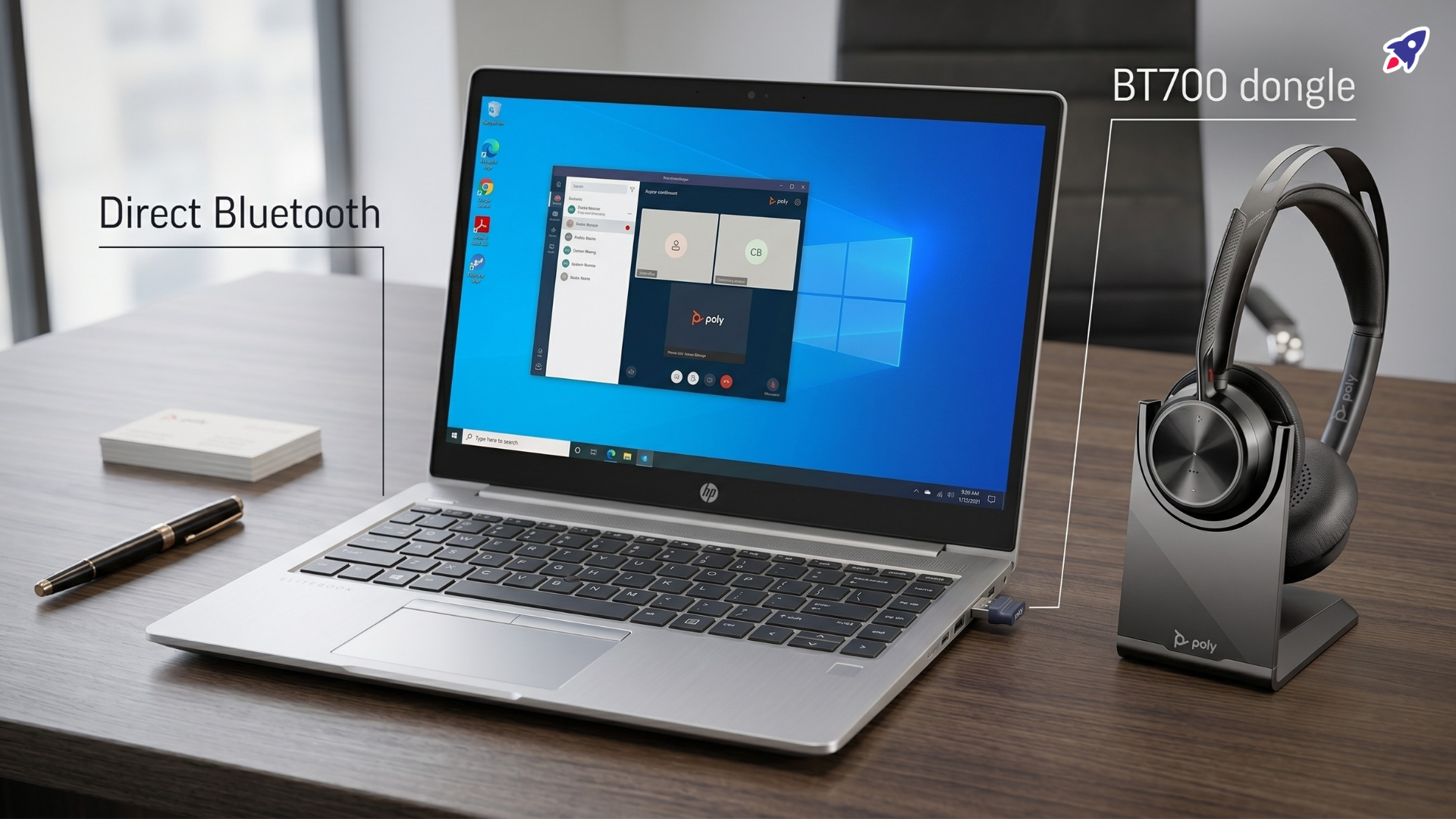
If your Poly Voyager Focus 2 is your daily work headset, plug in the Poly BT700 dongle. Direct Bluetooth can be fine for music, quick calls, or pairing to a phone. But for PC and Mac meetings, the BT700 gives the headset a cleaner path for call audio, mute sync, range, and meeting controls.
- Best for Microsoft Teams and Zoom: Poly BT700 dongle.
- Best for casual listening: Direct Bluetooth may be enough.
- Best for IT teams: Standardize on the dongle to reduce laptop-to-laptop weirdness.
- Best rule of thumb: If the dongle came in the box, use it.
The Tiny Dongle Is Not There for Decoration
You know the moment. You join the meeting, say hello, and then spend the next 20 seconds doing the modern office tap dance: checking the mic, opening audio settings, and asking, "Can you hear me now?" like you accidentally became a phone commercial.
That is where the Poly BT700 earns its USB port. The Voyager Focus 2 can pair directly to your computer over Bluetooth, but your computer's Bluetooth chip, drivers, operating system, and meeting app all get a vote. Some setups behave beautifully. Others behave like they had three coffees and no breakfast.
The BT700 gives your headset a dedicated connection path built for professional communications. Less guessing. Fewer random audio gremlins. A better chance your mute button, meeting app, and actual voice all agree on what is happening.
Who This Guide Is For
This guide is for anyone using or buying the Poly Voyager Focus 2 and wondering whether direct Bluetooth is "good enough" or whether the dongle matters.
- Remote and hybrid workers who live in Teams, Zoom, or Google Meet.
- IT admins who need headset setups that work across different laptops.
- Small business owners who cannot afford awkward customer-call audio.
- Office managers buying headsets for people who will not read a setup manual.
- Anyone who has ever muted a headset and then panicked because Teams disagreed.
The Main Difference at a Glance
Direct Bluetooth uses your computer's built-in Bluetooth radio. That sounds simple, and sometimes it is. The catch is that every laptop can behave a little differently depending on hardware, drivers, settings, and app support.
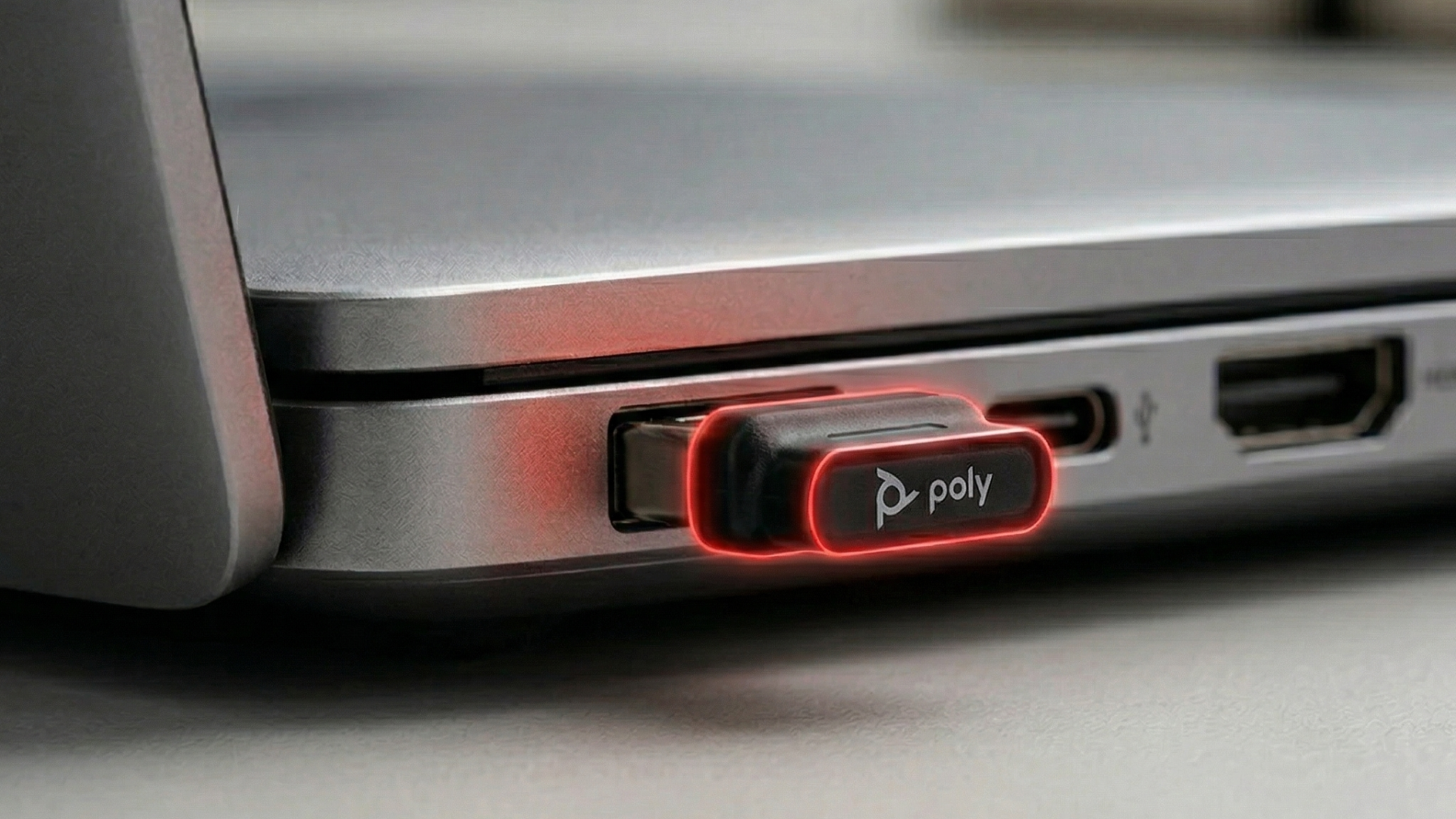
The Poly BT700 is a dedicated USB Bluetooth adapter. It is designed to work with supported Poly headsets, so your Voyager Focus 2 is not relying as heavily on whatever Bluetooth setup happens to be inside your laptop.
For casual use, direct Bluetooth is convenient. For work calls, the dongle is usually the safer bet.
Poly Voyager Focus 2 Dongle vs Direct Bluetooth Comparison
Here is the practical version, without pretending Bluetooth is magic dust.
| Factor | Direct Bluetooth | Poly BT700 Dongle |
|---|---|---|
| Best use | Music, mobile pairing, occasional calls | Daily meetings, UC platforms, professional calls |
| Call stability | Depends on your computer's Bluetooth hardware and drivers | More predictable because the adapter is dedicated to headset audio |
| Mute sync | Can be inconsistent depending on app and device support | Usually the better path for supported Teams and UC configurations |
| Wireless range | Often shorter and more variable | Designed for stronger PC headset range in supported setups |
| Setup | No USB port needed, but more variables to troubleshoot | Uses a USB port, but is closer to plug-and-work |
| IT deployment | Harder to standardize across mixed laptops | Easier to repeat across teams and offices |
When Direct Bluetooth Is Good Enough
Direct Bluetooth is not the villain. It is useful, especially when convenience matters more than perfect meeting behavior.
- You mostly listen: Music, podcasts, and videos do not need the same call-control reliability as live meetings.
- You pair to phones or tablets: Direct Bluetooth is usually the natural choice there.
- Your laptop already behaves: If you tested calls, mute, and range and everything works, enjoy the rare Bluetooth peace.
- You need every USB port: Some laptops have fewer ports than a gas station has healthy lunch options.
The tradeoff is consistency. Direct Bluetooth can be great on Monday and fussy on Tuesday after an update, a driver change, or a meeting app deciding it has opinions.
When the Poly BT700 Is the Better Choice
Use the Poly BT700 when the Voyager Focus 2 is part of how you make money, support customers, run meetings, or avoid looking like the person who brought mystery audio to the call.
- Daily Teams or Zoom calls: The dongle gives your headset a more consistent connection path for work apps.
- Mute-button confidence: When you press mute, you want the app to understand the assignment.
- More room to move: A stronger, more predictable connection helps when you stand up, pace, or grab coffee.
- Team deployments: IT can troubleshoot one known setup instead of every laptop's Bluetooth personality.
- UC headset kits: If the BT700 came with your Voyager Focus 2, treat it like part of the system, not a spare part.
Does the BT700 Help with Microsoft Teams Mute Sync?
In many PC and Mac setups, yes. Mute sync is one of the biggest reasons to use the dongle. The issue is not always the headset. Often, the problem is that the headset, operating system, Bluetooth profile, and meeting app are not all speaking the same language.
With a supported Poly adapter, the meeting app has a cleaner way to recognize headset controls like mute, answer, and end call. That matters when you need the red mute light, the Teams mute icon, and your actual microphone state to line up.
Practical test: pair the headset directly to your computer, start a Teams test call, and press mute on the headset. Then do the same through the BT700. If the dongle setup behaves better, you have your answer.
Common Mistakes Buyers Make
The biggest mistake is assuming "Bluetooth is Bluetooth." That is a lovely thought. It is also how people end up in device settings five minutes before a client call.
- Treating the dongle as optional clutter: For UC headsets, it is often the piece that makes PC calling behave.
- Testing only pairing: Pairing is step one. Also test mic input, speaker output, mute sync, answer, and end-call behavior.
- Ignoring the laptop variable: Two laptops can give the same headset two very different Bluetooth experiences.
- Waiting for the important meeting: Test the setup before the webinar, interview, demo, or board call.
- Skipping firmware updates: Use Poly Lens or your organization's device-management process when updates are allowed.
Best Fit by Use Case
Choose direct Bluetooth if you mostly use the Voyager Focus 2 with a phone, tablet, or laptop for casual audio and occasional calls.
Choose the Poly BT700 if your headset is part of your professional call setup. That includes remote work, sales calls, support calls, training sessions, webinars, and Teams-heavy workdays.
For IT teams, the dongle is the practical choice. It reduces variables, makes setup easier to repeat, and gives support teams a clearer baseline when someone says, "My headset is acting weird."
How to Set Up the Voyager Focus 2 for Better Calls
Start with the boring setup steps. Boring is good. Boring means your audio works.
- Plug the Poly BT700 USB-A or USB-C adapter into your computer.
- Turn on the Poly Voyager Focus 2 and let it connect to the adapter.
- Open Teams, Zoom, or your calling app.
- Select the Poly headset or adapter as both microphone and speaker.
- Run a test call and check mic, speaker, mute, answer, and end-call controls.
- Update headset and adapter firmware through Poly Lens if your organization allows it.
If you still prefer direct Bluetooth, run the same test. Do not stop at "it paired." Make sure it actually behaves during a call.
FAQ: Poly Voyager Focus 2 Dongle vs Bluetooth
Can I use the Poly Voyager Focus 2 without the dongle?
Yes. The headset can connect directly through Bluetooth to supported devices. For PC or Mac work calls, the BT700 usually provides a more consistent experience.
Is the Poly BT700 only for Microsoft Teams?
No. The BT700 can support computer audio beyond Teams, but it is especially useful for UC platforms where call controls and mute behavior matter.
Why does my headset mute button not match Teams mute?
Mute sync can become inconsistent when the headset is paired through native Bluetooth instead of a supported dongle or certified native Bluetooth path. Test the BT700 before assuming the headset is defective.
Does the dongle improve music quality?
The BT700 is mainly valuable for consistent PC headset behavior and UC audio. For casual music listening, direct Bluetooth may be fine if the connection is stable.
Should IT teams standardize on the BT700?
Usually, yes. A known adapter reduces dependency on each user's laptop Bluetooth hardware and gives IT a more repeatable support path.
Final Recommendation
If the Poly Voyager Focus 2 is your everyday work headset, use the Poly BT700 dongle. Direct Bluetooth is convenient, but the dongle is the better choice when call quality, mute sync, range, and meeting controls matter.
Buying for a team or not sure which version you need? Global Teck Worldwide can help you match the right Voyager Focus 2 setup, BT700 adapter type, and UC platform requirements before you buy.
Need help picking the right headset or speakerphone?
Contact Global Teck Worldwide