

Comfortable Headsets for All-Day WFH Calls
Posted by Quentin Vernon on 26th Oct 2026
The Most Comfortable Headsets for All-Day Work-From-Home Calls

New remote job, calls from morning to evening, and the headset your company sent feels like a vise by lunch. Sound familiar? You're not stuck with it.
For all-day calls, comfort comes down to three things: how hard the headset squeezes, how much it weighs, and what's touching your ears. A lightweight mono headset or a well-padded stereo one built for calls will usually beat a DIY combo of regular headphones and a clip-on mic, mostly because you keep your mute button and call controls. Here's how to pick, and when the DIY route actually makes sense.
Why does your work headset hurt after a few hours?
Most of the pain comes from pressure, not weight. A small headband pushes the ear cups into your head all day, and on-ear pads press your ears flat against your skull. That's fine for a 30-minute meeting. By hour six, it's a headache.
Heat is the other culprit. Faux-leather cushions trap warmth, so your ears get sweaty and sore even when the fit isn't that tight.
If you wear glasses, add the arms of your frames getting pinched between the pads and your head. That's often the first spot that starts to ache.
What should you look for in an all-day headset?
- Low clamping force or no headband at all. Over-the-ear mono earpieces skip the headband entirely. If you want a headband, look for an adjustable one with a soft sling or wide padding.
- Weight you forget about. A few grams versus a few hundred is a big difference by 5 p.m.
- Cushions you can replace. Pads flatten and crack with daily use. Swappable ones give a tired headset a second life.
- A real call mic. A boom mic or a noise-canceling mic array keeps your voice clear when the dog starts barking.
- Call controls that talk to your app. Mute, answer, and hang up should work right from the headset in Teams. Microsoft says certified headsets are plug-and-play and handle answer, hang up, mute, and volume without extra setup.
Can you use separate headphones and a clip-on mic for Teams?
Yes, in many cases it works. Teams and Cisco Jabber let you pick your speaker and your microphone separately in their audio settings, so open-ear headphones plus a wireless clip mic can show up as two normal audio devices.
A few tradeoffs worth knowing before you spend the money:
- Your mute button lives on screen. Consumer headphones and clip mics usually don't control Teams calls, so you'll be reaching for the mouse to mute.
- Two batteries to babysit. If either one dies mid-call, you're scrambling.
- Mic placement matters. A clip mic sounds great on your collar and not so great once it slides or you turn your head. Open-ear headphones also leak some sound, so at higher volume a nearby mic can pick it up.
- IT may not support it. Some companies only troubleshoot certified gear. Worth a quick message before you buy.
If you love the open-ear feel, a lightweight call headset that leaves one ear free gets you most of that comfort without the juggling.
Still with us? Good. Let's look at two options that check most of those boxes.
How do these two headsets compare?
| Feature | Poly Voyager Legend 50 | Poly Voyager Focus 2 UC |
|---|---|---|
| Wear style | Mono, in-ear with ear loop | Stereo, on-ear headband with sling |
| Weight | 20 g | 175 g |
| Talk time | Up to 10 hours (about 30 with the charge case) | Up to 19 hours (16 with noise canceling on) |
| Mic | 4-mic array with noise reduction | Noise-canceling boom mic |
| Connection | Bluetooth, USB adapter included | Bluetooth, USB adapter or USB cable |
| Mute | Mute button with voice alerts | Flip boom to mute, alert if you talk while muted |
| Teams certified | Yes (Teams version) | Yes (Teams version) |
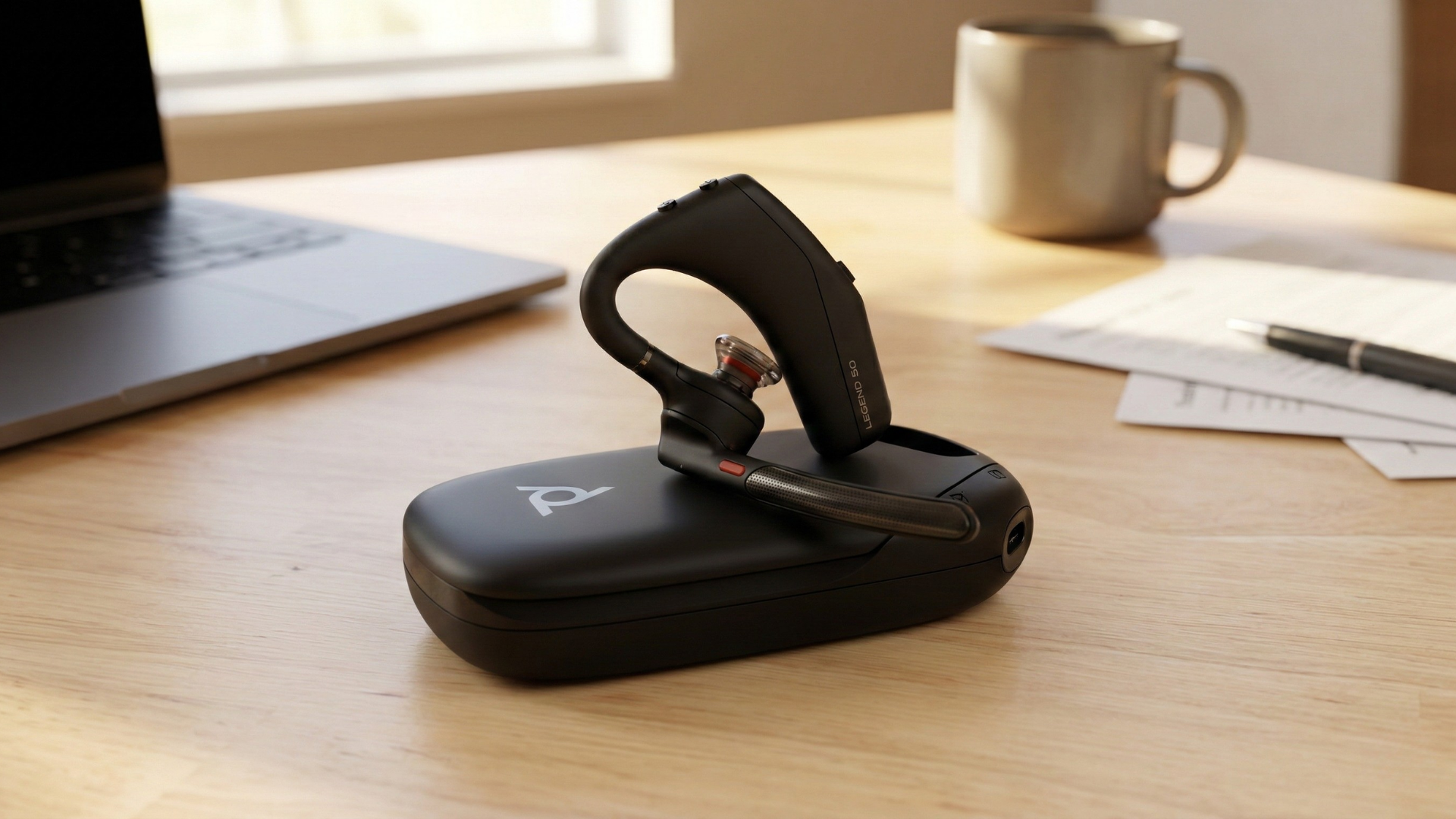
Poly Voyager Legend 50: for people who hate anything on their head
At 20 grams, this is the closest you'll get to wearing nothing. No headband, no squeeze. It hooks over one ear with a soft loop and comes with three silicone eartip sizes, so you can find the one that sits right instead of forcing it.
The free ear is a big deal at home. You'll still hear the doorbell, the kids, or the kettle, the same reason people like open-ear headphones. Four mics and Poly's noise filtering handle background sound, and you get a physical mute button plus voice alerts that tell you when you're muted. Up to 10 hours of talk time covers a long day, and the optional charge case stretches that to about 30.
The honest drawback: it's in-ear. If earbuds bother you after a few hours, this one might too. Swap tip sizes before you give up on it. Also, one ear means less isolation, so a loud household can be harder to tune out.
Buying for Teams? Pick the Teams version. Poly sells it alongside a standard UC version.
Poly Voyager Focus 2 UC: for noisy homes and stereo fans
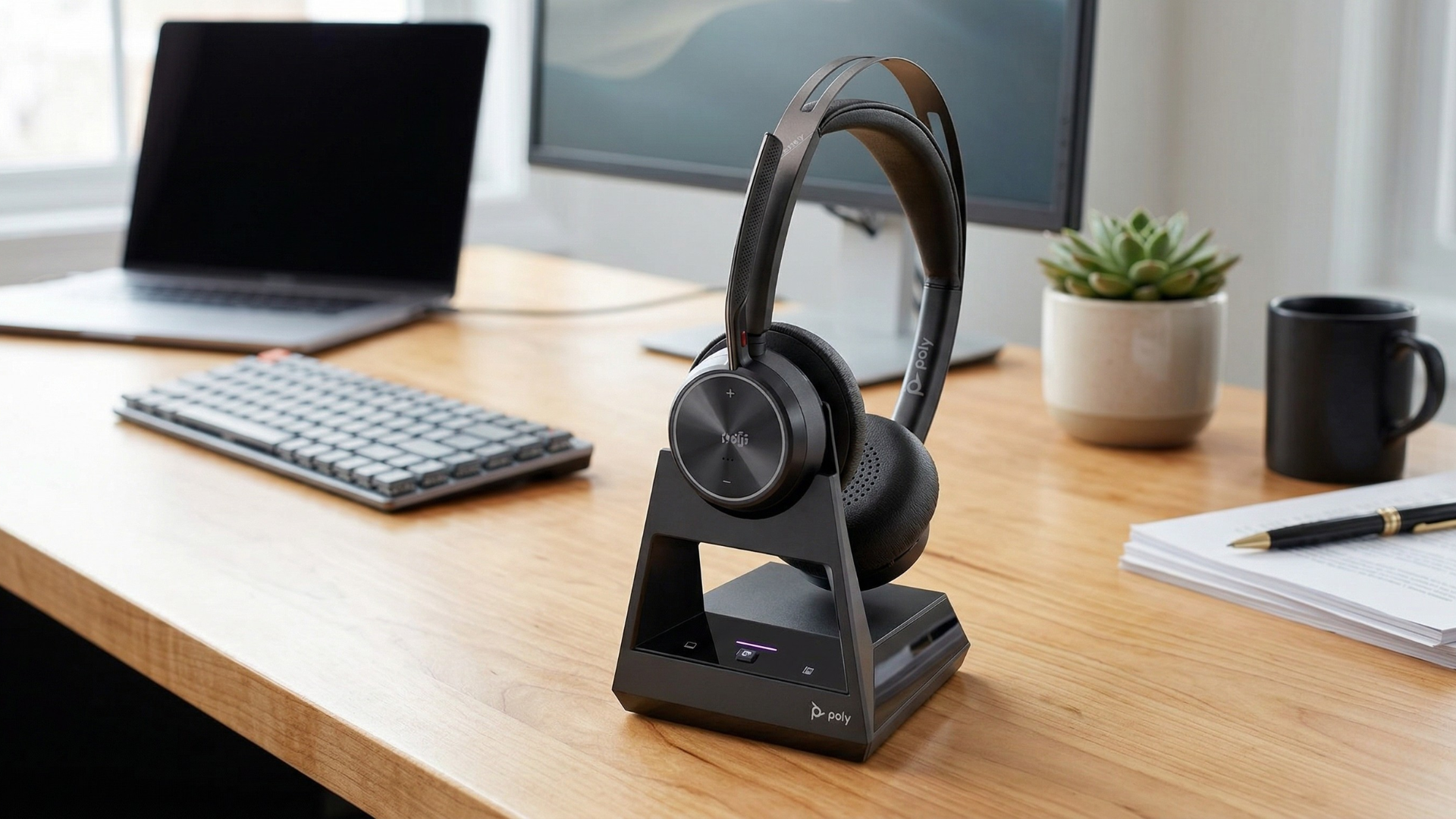
If you'd rather have sound in both ears, this one is built for a full day of calls. The headband uses a sling with plush ear cushions to spread the pressure out instead of pinching at the sides. Battery runs up to 19 hours, so you can skip charging for a couple of days.
The Focus 2 has active noise canceling with low and high settings, which helps when the leaf blower next door starts up mid-meeting. The boom mic has its own noise canceling for your side of the call. Muting is as easy as flipping the boom up. It'll even warn you if you start talking while muted, which saves you from the classic "you're on mute" moment.
The honest drawback: at 175 grams with on-ear pads, it's heavier and warmer than an earpiece. If heat is your main complaint, take short breaks or consider the Legend 50.
Already have a headset? Try new cushions first
Before you buy anything, check whether your current headset takes replacement cushions. Thicker or softer pads can make a tight headset feel a lot friendlier, and fabric or silicone covers run cooler than faux leather.
A few quick tweaks that help:
- Extend the headband one notch past where it feels "right." It should rest, not grip.
- Wear on-ear pads slightly forward so they don't press the tops of your ears.
- If you wear glasses, slide the pads above or below the arms instead of right on top.
Which one should you get?
- Hate headbands or want to hear your house? Go with the Poly Voyager Legend 50.
- Noisy home or you like sound in both ears? The Poly Voyager Focus 2 UC.
- Company headset is okay, just tight? Try new cushions and loosen the band before spending anything.
- Set on open-ear headphones and a clip mic? It can work. Test it in a Teams test call first and check with IT.
Frequently asked questions
Are gaming headsets okay for work calls?
Many of them sound good on calls and work fine as regular audio devices in Teams. They're often heavier than office headsets and usually aren't Teams certified, so mute and call buttons may not work in your call app.
Is a mono headset enough for all-day calls?
For most voice calls, yes. One ear is all you need to hear the other person, and keeping the other ear free helps with fatigue and lets you hear what's going on around you. If you work in a loud space, stereo with noise canceling helps more.
Can I use my own headset instead of the one my company gave me?
Often, yes, but ask IT first. Some teams only support certified devices or need specific gear for their phone system.
How do I know it's time to replace ear cushions?
Look for pads that are flattened, cracked, or peeling, or that no longer seal comfortably. Fresh cushions can also bring back some of the comfort and sound you lost.
Official resources
Comments? Questions? We got you covered!
Not sure which headset will survive your all-day call schedule?
Contact Global Teck Worldwide