
Yealink PS5V2000US vs. PS5V2000US-SLIM: Which Power Adapter Does Your Phone Need?
Posted by Quentin Vernon on 25th May 2026
Yealink PS5V2000US vs. PS5V2000US-SLIM: Which Power Adapter Does Your Phone Need?
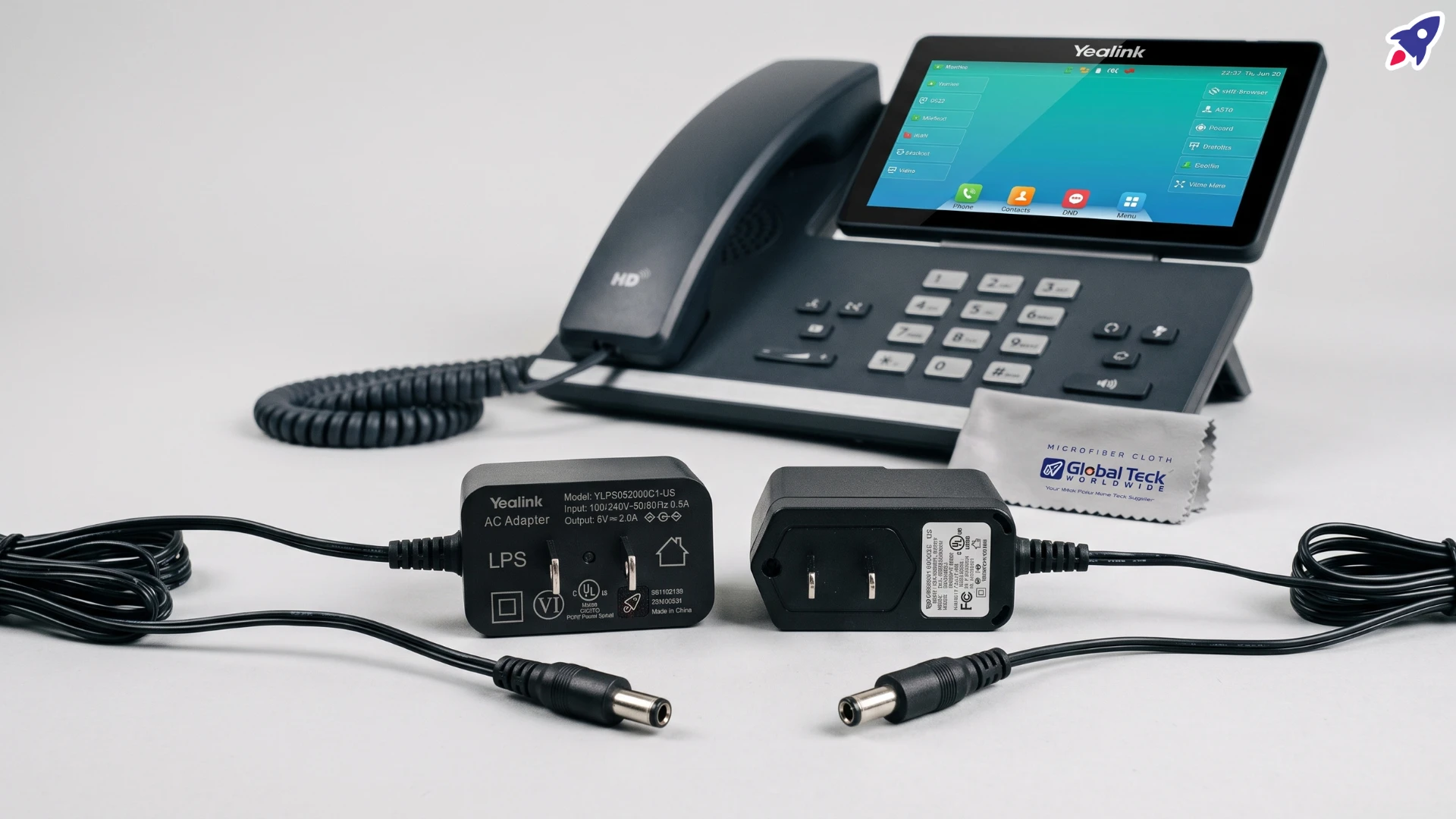
A power adapter can have exactly the right electrical rating and still be the wrong adapter for your phone.
That sounds like a contradiction, but it's the single most common reason people end up returning a Yealink power supply. Two adapters can both say 5V DC / 2A on the label and still differ in connector size, plug geometry, or approved-accessory status for a specific phone model. Voltage and amperage tell you whether the electricity is right. They don't tell you whether the barrel plug will physically seat in the jack on the back of your phone.
This matters most right now for buyers of newer Yealink models, particularly the MP58, where the older PS5V2000US and the newer PS5V2000US-SLIM are frequently listed as if they were interchangeable. The evidence suggests they should not be treated that way.
Here's what to check before you order.
What is the Yealink PS5V2000US?
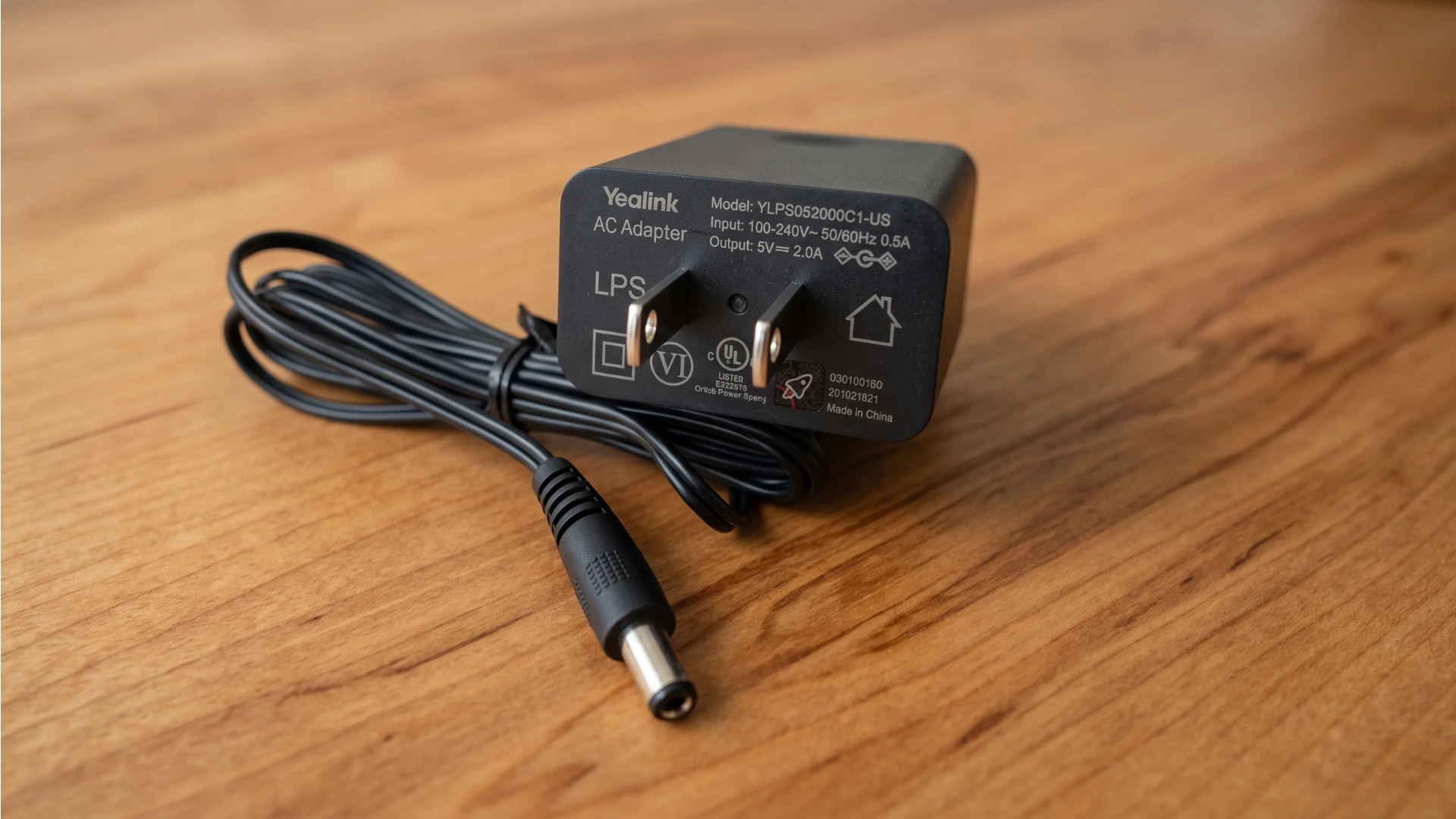
The Yealink PS5V2000US is an external AC power adapter that outputs 5V DC at 2A for compatible Yealink IP desk phones. It's a wall-plug supply in the U.S. plug configuration, and at 5V × 2A its nominal maximum output is 10 watts.
Its job is simple: give the phone a power source that isn't the network cable.
Most modern Yealink business phones can draw power over the Ethernet cable from a PoE-capable switch or injector. When PoE is available, the phone needs one cable and no wall wart. The Yealink phone power supply becomes relevant when that isn't the case:
- the office switch or router doesn't support PoE
- PoE is available but the switch's power budget is already committed
- the phone is being staged, provisioned, or tested away from the production network
- a home-office or remote-worker deployment on ordinary consumer networking gear
In other words, the PS5V2000US is an alternative power path, not a required accessory.
If you see a listing that suggests the adapter is a mandatory purchase for every Yealink phone, that's a sales framing, not a technical requirement.
Is the PS5V2000US still relevant in 2026?
Yes, but as a maintenance part, not as a headline product.
The realistic reasons to buy a 5V 2A Yealink adapter today are:
- Replacement. Wall adapters get lost during office moves, borrowed for other devices, or damaged. The phone is fine; the brick is gone.
- Legacy fleets. Organizations running older T-series phones often need spares that match what's already deployed.
- Non-PoE sites. Branch offices, retail counters, warehouses, and home setups frequently run on switches without PoE.
- Refurbished and secondhand phones. Used phones are routinely sold without the original adapter.
- Spares for critical extensions. Reception desks, dispatch, front-of-house.
What has changed is the product line itself. The original PS5V2000US has been described by resellers as superseded by the PS5V2000US-SLIM, which is the version more commonly stocked and more commonly specified for current models. So when you're buying in 2026, the practical question usually isn't "should I buy a PS5V2000US." It's "which of the two revisions does my specific phone take."
PS5V2000US vs. PS5V2000US-SLIM
Both are Yealink-branded external supplies rated 5V DC / 2A. The SLIM is a newer, more compact physical implementation of the same electrical concept, and it's the revision you'll most often see specified in current documentation and procurement records.
The important point for buyers is this: identical electrical specifications do not guarantee identical connector fit or approved compatibility.
Two adapters at 5V/2A can still differ in the outer and inner diameter of the barrel plug, the length and shape of the plug body, the housing dimensions relative to the phone's power jack recess, and whether Yealink lists that specific part as a supported accessory for that specific phone.
Retailer compatibility lists compound the confusion. Different sellers publish different model lists for what looks like the same product, and marketplace listings often inherit compatibility data from older revisions. Some specialist listings for the SLIM version even call out models it is not compatible with, which is a useful reminder that "Yealink 5V/2A" is not a universal category.
Practical rule: where the SLIM version is explicitly specified for your phone, buy the SLIM version. Don't substitute the older part on the assumption that the rating makes them equivalent.
Does the PS5V2000US work with the Yealink MP58?
This is where PS5V2000US compatibility gets genuinely murky, and it's worth walking through the evidence rather than giving a flat answer.
What Yealink documentation supports. The MP58 datasheet lists an optional external Yealink AC adapter with 100–240V AC input and DC 5V/2A output. That confirms the electrical requirement. It does not, by itself, confirm that any particular part number physically fits.
What some retailer listings claim. Several listings broadly assert PS5V2000US compatibility with the MP58, typically as part of a long model list covering multiple T-series and MP-series phones. These lists are usually seller-generated and are not manufacturer documentation.
What a customer report says. One reviewer of the original PS5V2000US reported buying adapters for a fleet of MP58 phones and found they did not fit, returning them to source the correct part.
That review deserves attention for a specific reason. It doesn't describe a performance complaint. Not "the phone rebooted," not "it ran hot," not "it charged slowly." It describes a physical fit failure across multiple units of the same model. A single anecdote is weak evidence, but a fit problem reported across a batch is a different kind of signal, because a mismatched connector is either right or wrong and doesn't vary unit to unit.
It's still anecdotal. It is not manufacturer documentation, and it should not be treated as equivalent to one.
What stronger evidence supports. A Dormitory Authority of the State of New York (DASNY) bid document for a CUNY Queens College telephone upgrade specified the Yealink PS5V2000US-SLIM as the "Compatible Adapter for Yealink MP58-Teams Phone" — 815 units, matched one-to-one against 815 MP58 phones. The same document specified the SLIM version for the MP54 as well, and paired the VP59 with a different adapter entirely (PS12V1000US, a 12V/1A supply), which shows the specifier was matching adapters to phones deliberately rather than assuming one part fits the line.
Institutional procurement records carry more weight than marketplace metadata because the part number has typically been specified, quoted, and matched against an actual deployment at scale.
They are, however, still a purchasing specification rather than a manufacturer compatibility statement. To be precise about what the evidence does and doesn't show: no Yealink document says the original PS5V2000US is incompatible with the MP58. What exists is a documented pattern of the SLIM version being the part specified for that phone, plus a user report of the older part not fitting.
Given that split, the defensible conclusion is:
- Don't assume the older PS5V2000US is MP58-compatible.
- The PS5V2000US-SLIM is the better-supported choice as a Yealink MP58 power adapter.
- If you're buying in volume, order one unit and confirm fit before committing to the full quantity.
Why matching voltage and amperage isn't enough
If you only remember one thing from this article, make it this section.
An adapter has to satisfy four separate conditions, and the label only covers the first.
- Electrical output. The voltage must match (5V), and the current rating must meet or exceed what the phone draws (2A). Wrong voltage can damage hardware. Insufficient current causes instability, reboots under load, or accessories that fail to power up.
- Connector geometry. The barrel plug's outer diameter, inner pin diameter, and length all have to match the jack. A plug that's slightly too large won't seat. One that's slightly too small will seat loosely and lose contact. Some housings are simply too bulky for a recessed jack. This is the failure mode described in the MP58 review, and it's invisible on a spec sheet.
- Polarity. Center-positive versus center-negative. Most Yealink supplies follow the same convention, but polarity is worth a glance whenever you're considering a third-party or generic adapter.
- Approved-accessory status. Manufacturers qualify specific part numbers against specific hardware. A phone may have gone through a hardware revision that changed the power jack or the supply it ships with. "It worked on our older units" is not proof that it works on the current ones.
We're deliberately not quoting exact millimeter dimensions for the MP58 jack here, because we haven't found a credible source that publishes them. Guessing at connector specs is how bad buying advice gets written.
The first condition is what listings advertise. The other three are what actually cause returns.
Do you even need a power adapter?
Before buying anything, check whether your network already powers the phone.
PoE (Power over Ethernet) delivers electricity and data over the same cable. If your phone supports PoE, and most current Yealink desk phones do, and it's plugged into an IEEE 802.3af-compatible switch or injector, you don't need a wall adapter at all.
How to tell:
- Check the switch. Look at the model number and its spec sheet for "PoE" or "802.3af/at." Managed switches usually report per-port power draw in their admin interface.
- Test it. Connect the phone with Ethernet only, no adapter. If it boots, you're powered over PoE.
- Check the port, not just the switch. Some switches provide PoE on only a subset of ports.
- Check the budget. A switch can support PoE and still be out of headroom if enough devices are already drawing from it.
- Consider an injector. A single PoE injector is often cheaper and tidier than a wall adapter if you're only powering one or two phones on a non-PoE network.
One resilience note that cuts against the adapter: in a managed office, PoE switches are often on a UPS, so phones stay up through short outages. A phone on a wall adapter goes down with the outlet unless that outlet is separately backed up.
How to choose the right Yealink power adapter
A short checklist that will prevent most wrong purchases:
- Identify the exact phone model. Not "a Yealink T-series," but the full model string from the label on the underside of the phone, including any suffix. T46U, T46S, and T46G are different phones.
- Check Yealink documentation for that model. The datasheet or quick start guide will state the required external supply rating and, often, the specified part number.
- Verify the adapter part number, not just the rating. PS5V2000US and PS5V2000US-SLIM are different part numbers. Buy the one named for your phone.
- Confirm physical compatibility before buying in volume. One unit first, then the rest. This is cheap insurance on a fleet order.
- Determine whether PoE is already available. You may not need to buy anything.
- Don't rely solely on marketplace compatibility tables. Seller-generated model lists are frequently copied across revisions and go stale. Treat them as a starting point, then verify against manufacturer documentation or an authorized distributor.
When a distributor listing and a marketplace listing disagree, weight the distributor.
The short version
The Yealink PS5V2000US is still a legitimate part to buy, for legacy fleets, non-PoE sites, replacements, and spares where that specific part number is what your phones actually use.
For newer models, and specifically for the MP58, don't infer compatibility from the 5V/2A rating. The available evidence conflicts. Some retailer listings claim the original PS5V2000US works, while a fleet-level customer report describes a physical fit failure and a procurement specification names the PS5V2000US-SLIM as the compatible part. On balance, the SLIM version is the better-supported option for the MP58, and it's the safer buy where it's explicitly specified.
Verify compatibility by model and part number, not by voltage and amperage. And before you buy either one, check whether PoE already has the problem solved.
Video Overview
Not sure which power adapter your Yealink phone takes?
Contact Global Teck Worldwide