
How to Safely Remove Poly VVX Wall Mounts (Prevent Damage)
Posted by Quentin Vernon on 24th Apr 2026
How to Safely Remove Poly VVX Wall Mounts (Prevent Damage)
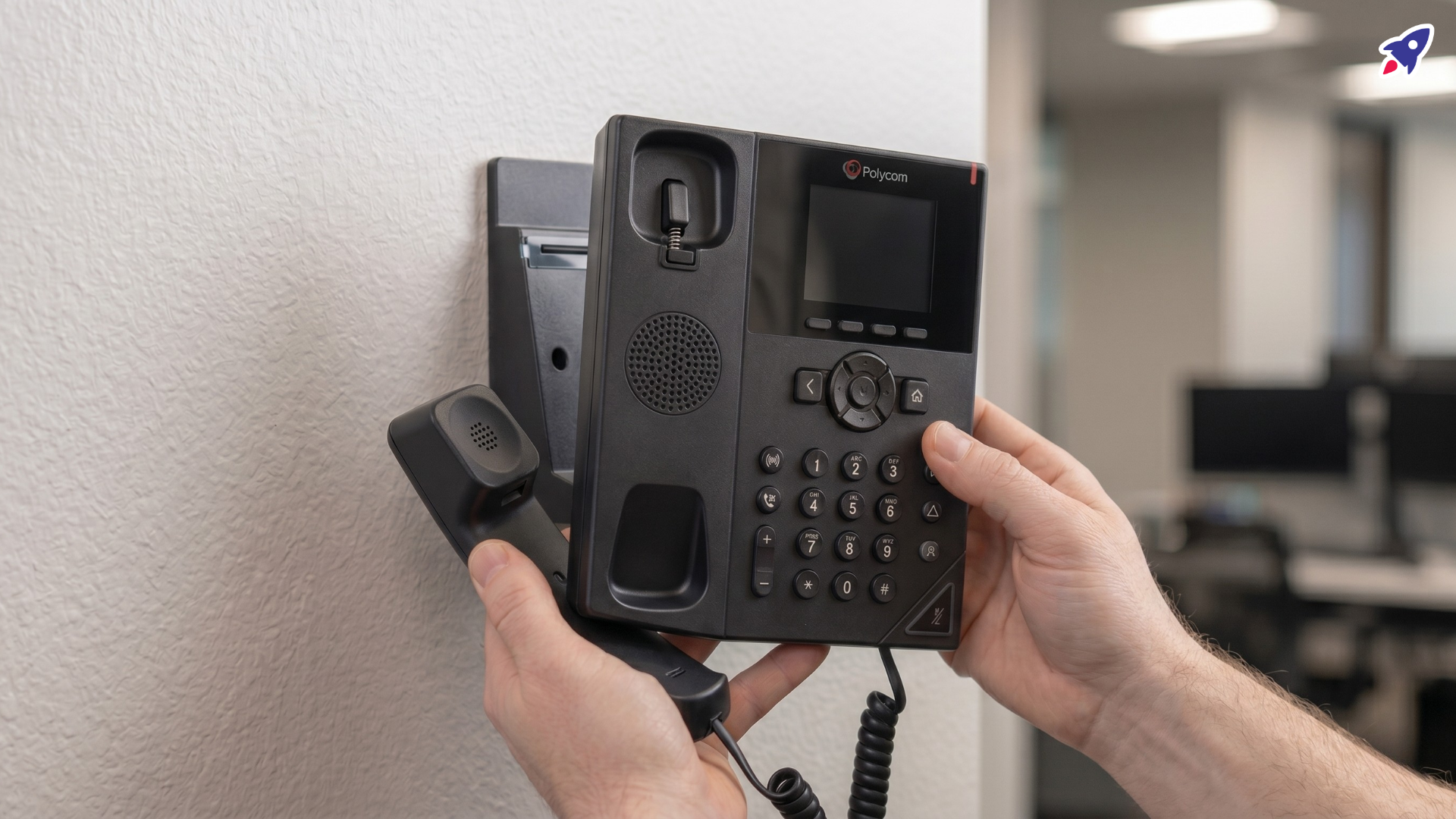
Encountering a Poly VVX 350 or 450 phone that seems stuck on its wall mount bracket can be a frustrating experience. You're not alone; many users find the removal process less straightforward than anticipated, especially when official step-by-step instructions are difficult to locate.
Often, the challenge stems from a combination of the mount's design, potential over-tightening during installation, or a simple lack of awareness about the specific release mechanism. This can lead to concerns about warping the plastic or damaging your phone during removal attempts.
This guide will help you understand the common causes behind a stuck Poly VVX wall mount and provide practical, research-based steps to safely unmount your phone and then remove the bracket from the wall, minimizing the risk of damage. By the end, you'll have a clear approach to handling this common troubleshooting scenario.
What’s Usually Causing the Problem?
When your Poly VVX 350 or 450 phone feels stubbornly attached to its wall mount, several factors commonly contribute to the difficulty:
- Lack of Clear Instructions: Based on user reports, explicit, step-by-step instructions for removing Poly VVX wall mounts are often not readily available in official documentation. This leaves users to figure out the mechanism independently, which can lead to trial-and-error and potential damage.
- "Slide and Clip" Mechanism: Poly VVX phones, like many business desk phones, typically connect to their dedicated wall mount brackets using a sliding and/or clip-in mechanism. While designed for security, these can become stiff over time or if not installed perfectly.
- Over-tightening During Installation: A common cause of difficulty is when the mount's screws or the phone's securing points are over-tightened during the initial installation. This can stress and subtly warp the plastic bracket or the phone casing, causing the components to bind together rather than releasing smoothly.
- Plastic Warping or Binding: The plastic material of the mount or the phone's chassis can, in many cases, slightly warp under constant tension from over-tightening or environmental factors (though less common). This deformation creates increased friction and makes the intended "slide out" action difficult or impossible without applying force.
Understanding these underlying causes is the first step toward a successful and damage-free removal.
Signs You’re Dealing With This Issue
Identifying these symptoms can confirm you're facing a common Poly VVX wall mount problem:
- The phone feels rigidly attached to the bracket, even after checking for obvious screws or latches.
- You notice visible bowing or warping of the plastic wall mount bracket, especially around the edges or connection points.
- You hear creaking, groaning, or cracking sounds when attempting to gently pry or slide the phone.
- Despite applying gentle pressure in various directions, the phone does not budge or shows no sign of releasing.
- There's no clear, intuitive release button or lever visible to detach the phone from the bracket.
- The bracket itself appears fused to the wall, even if you’ve located the wall screws.
What to Check First
Before attempting any forceful removal, start with these initial checks to better understand the situation:
- Confirm Your Phone Model: Ensure you are working with a Poly VVX 350 or VVX 450. While this guide focuses on these models, removal methods can vary slightly between different Poly phone series.
- Visual Inspection for Release Mechanisms:
- Shine a bright light around the top, bottom, and sides where the phone connects to the wall mount bracket.
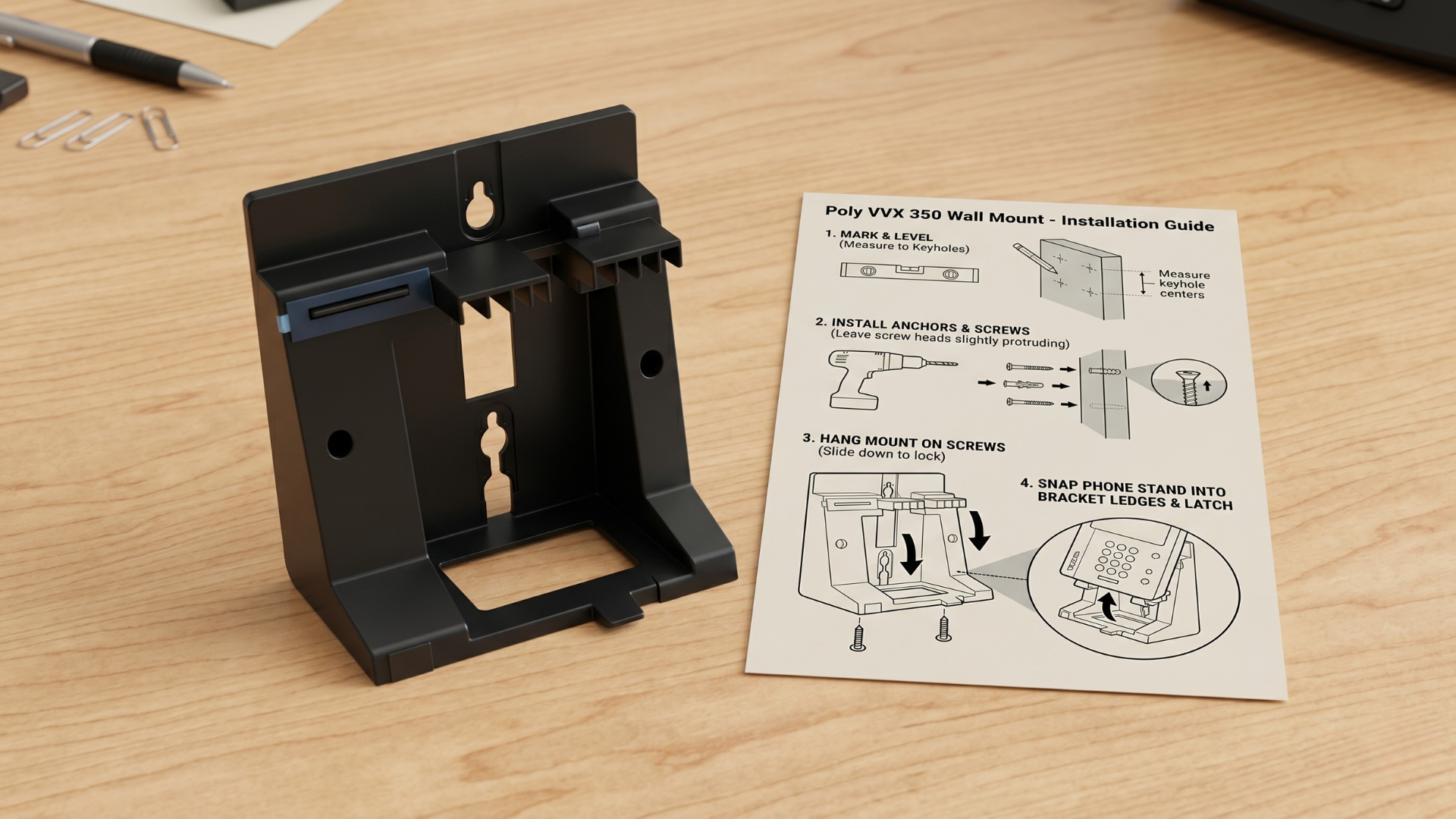
- Look for small tabs, indentations, clips, or very small screws that might be part of a release mechanism. These are often subtle.
- Examine the back of the phone where it meets the bracket for any areas that appear to be designed for leverage or unlatching.
- Assess for Warping: Visually inspect the wall mount bracket for any signs of bending, bowing, or stress marks in the plastic. This can indicate over-tightening during installation, making removal more challenging.
- Identify Bracket-to-Wall Screws: Locate the screws that secure the entire wall mount bracket to the wall. These are usually visible at the top, bottom, or corners of the bracket. Knowing their location is important for later steps.
- Gentle Wiggle Test: With one hand supporting the phone, gently try to wiggle it side-to-side and up-and-down on the bracket. Do not force it; you are trying to feel for any play or a natural direction of release.
Fixes That Often Help
Here are practical actions to help you safely remove your Poly VVX phone and its wall mount:
Step 1: Safely Detach the Phone from the Wall Mount Bracket
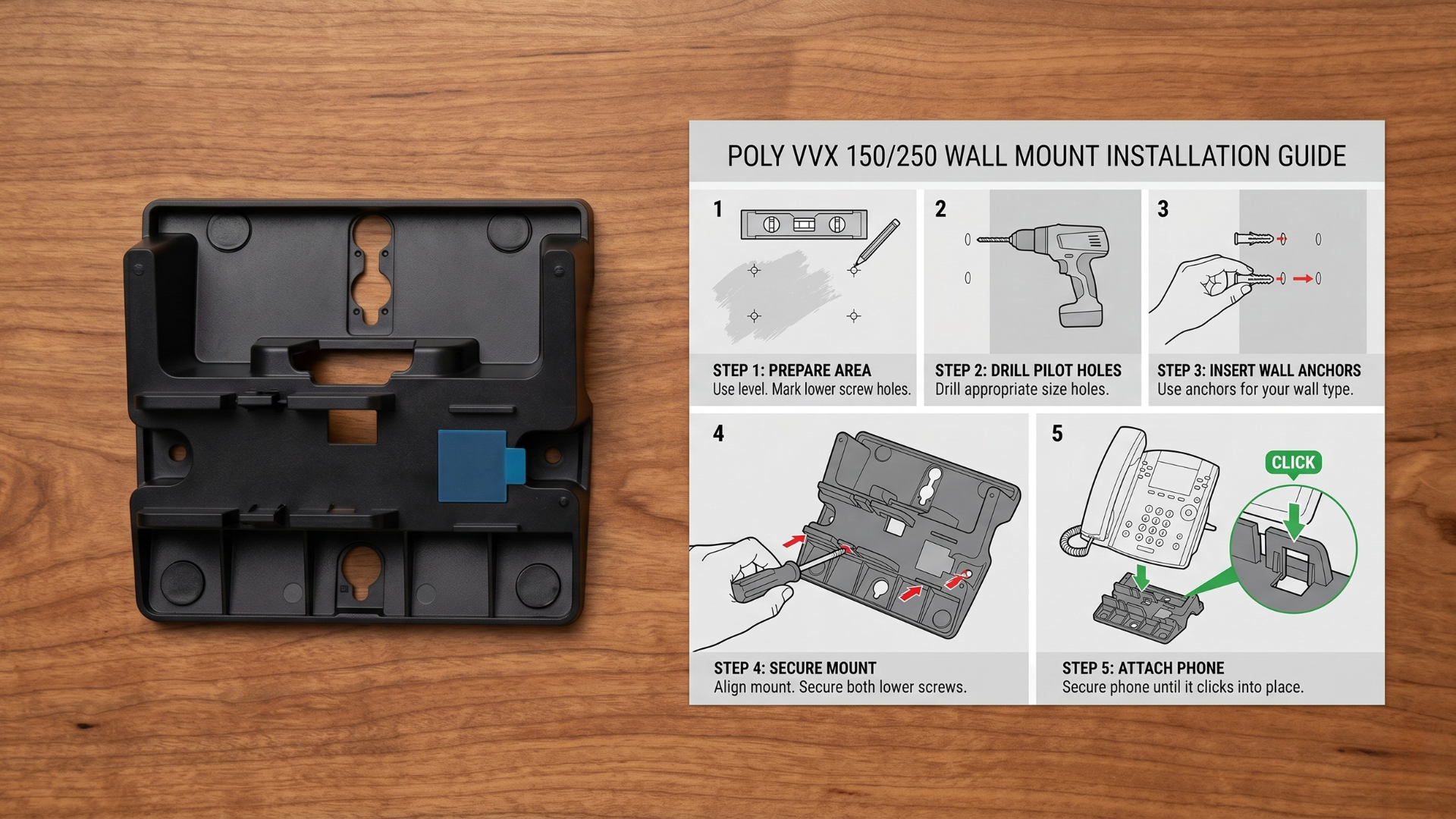
The primary challenge often lies in separating the phone from the bracket. Poly VVX phones typically slide onto their wall mount brackets. Here’s how to approach it:
- Identify the Slide Direction: Based on common designs, the phone often slides upwards or downwards to disengage from the bracket. Some might also have a slight outward tilt after initial movement. Gently try to slide the phone in these directions.
- Locate and Engage Release Tabs (If Present):
- Many phone mounts incorporate a small, spring-loaded tab or a friction clip that holds the phone in place.
- Carefully inspect the top or bottom edges of where the phone meets the bracket. You might need to gently push a tab inward or upward with a finger or a thin, non-marring tool (like a plastic pry tool, an old credit card, or a guitar pick) while attempting to slide the phone.
- The Reddit discussion suggests these mounts are "supposed to slide right out," indicating the release might be less about a distinct button and more about precise movement or a subtle tab.
- Countering Warping or Friction:
- If you suspect warping from over-tightening, the plastic is likely binding. Apply slow, steady, and even pressure. Avoid sudden jerks.
- You can use a non-marring plastic pry tool. Carefully insert the thin edge of the tool into the seam between the phone and the bracket. Apply gentle, even leverage while simultaneously trying to slide the phone in the suspected release direction.
- Work slowly around the edges, applying consistent pressure to relieve tension caused by any binding. The goal is to create just enough space for the phone to move.
- If Severely Stuck: In some cases, if the phone is truly fused to a warped bracket and risking damage, you may need to proceed to the next step (removing the bracket) with the phone still attached.
Step 2: Removing the Wall Mount Bracket from the Wall
Once the phone is detached, or if you had to remove the bracket with the phone still attached, the next step is to remove the bracket itself:
- Locate Mounting Screws: Use the screws you identified in the "What to Check First" section. These are typically standard Phillips head screws.
- Use the Correct Screwdriver: Select a screwdriver that fits snugly into the screw heads to prevent stripping.
- Loosen Screws Gradually: Loosen all screws slowly and evenly. If the bracket is warped and under tension, loosening one screw completely before others could cause stress or damage to the wall. Gradually back out each screw in turn.
- Gently Pry (If Needed): After all screws are removed, the bracket should come away cleanly. If it's still stuck due to paint or minor adhesive, use a broad, flat, non-marring tool to gently pry it away from the wall.
When This Advice May Not Apply
While these steps often help, there are situations where this advice might not fully address your specific issue:
- Different Poly Phone Models: This guide specifically targets Poly VVX 350 and 450. Other Poly phone models or older Polycom phones may have different mounting mechanisms requiring distinct removal steps.
- Non-Standard Mounts: If you're using a third-party or custom-fabricated wall mount (which is rare for these specific phones but possible), its design might differ significantly from the standard Poly-provided bracket.
- Permanent Adhesion: In very rare cases, if the mount was affixed to the wall with strong adhesive in addition to screws, the removal process will require additional caution for the wall surface.
- Pre-existing Severe Damage: If the phone or bracket is already significantly cracked, broken, or parts are missing, these steps may not prevent further damage during removal.
When Different Gear May Be the Better Fix
Most Poly VVX wall mount issues can be resolved with careful troubleshooting. However, there are times when replacement hardware is the most practical solution:
- Severely Warped or Broken Mount: If your existing wall mount bracket is significantly warped, cracked, or has broken tabs as a result of installation or removal attempts, it's often best to replace it. A damaged mount may not securely hold your phone or could lead to further issues.
- Frequent Relocation Needs: If your office setup frequently changes and you need to move phones often, consider if wall mounting is truly the best long-term solution. A Poly VVX desk stand might offer more flexibility and easier repositioning than repeated wall mount installations and removals.
- Aesthetic Concerns: If the removal process has damaged the wall or the mount itself is unsightly, a new wall mount kit or a desk stand can restore a professional appearance.
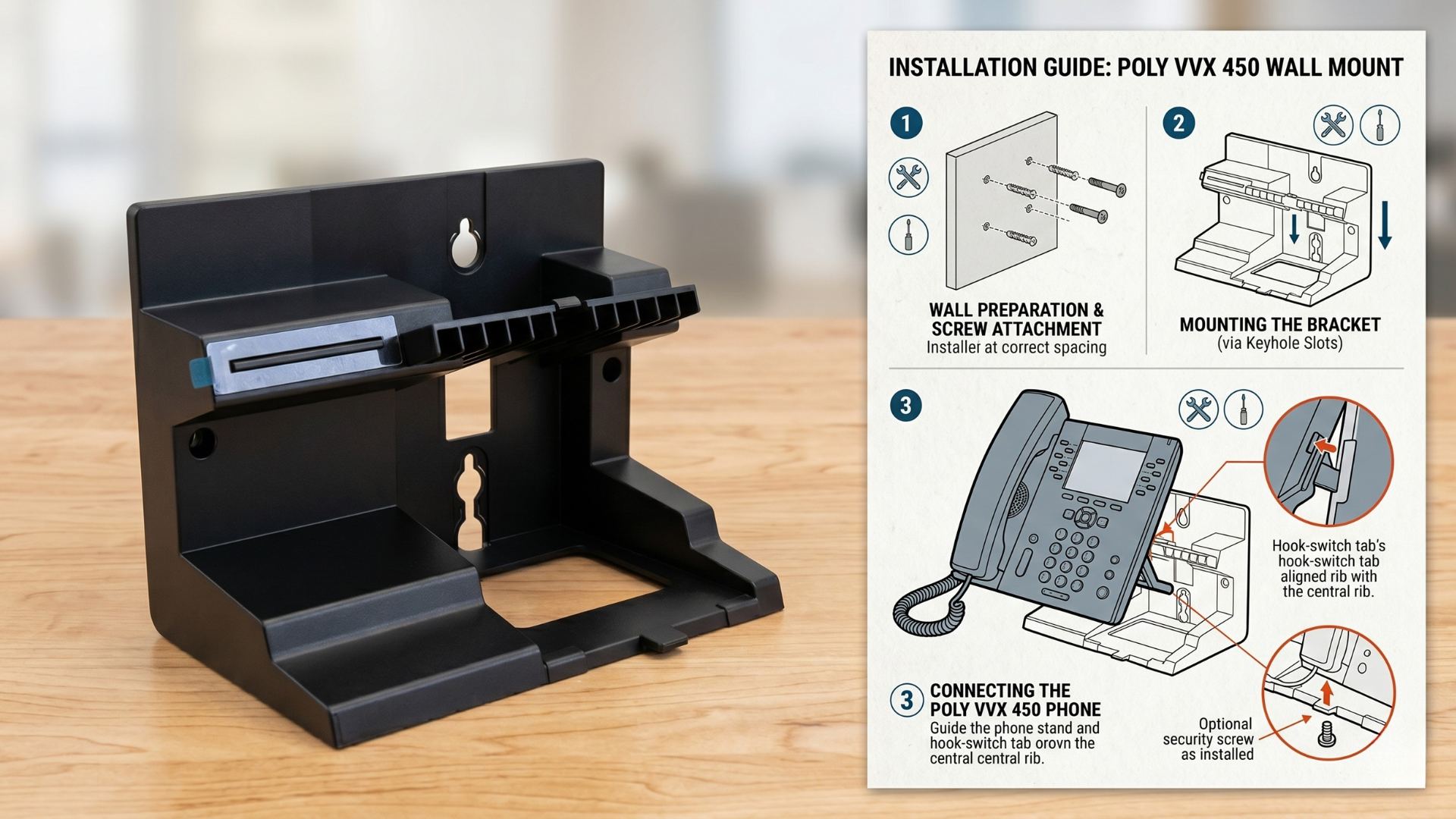
For Poly VVX 350 and 450 models, dedicated wall mount kits are available to ensure proper fit and function. If wall mounting is no longer desired, a replacement desk stand offers a stable and functional alternative.
What to Do Next
Removing a stuck Poly VVX wall mount can be a delicate operation, but by proceeding carefully and understanding the common pitfalls, you can often prevent damage to your phone and the mount itself. Always prioritize gentle, even pressure over forceful prying.
If you've followed these steps and are still experiencing difficulties, or if you need to replace a damaged wall mount or prefer to switch to a desk stand, Global Teck Worldwide is here to help. Our team can guide you in choosing the correct Poly accessories to ensure your communication setup works reliably and effectively.
Video Overview
Need help picking the right headset or speakerphone?
Contact Global Teck Worldwide