
Does the Yealink T46 Wall Mount Fit a Standard Phone Wall Jack?
Posted by Quentin Vernon on 29th May 2026
Does the Yealink T46 Wall Mount Fit a Standard Phone Wall Jack?
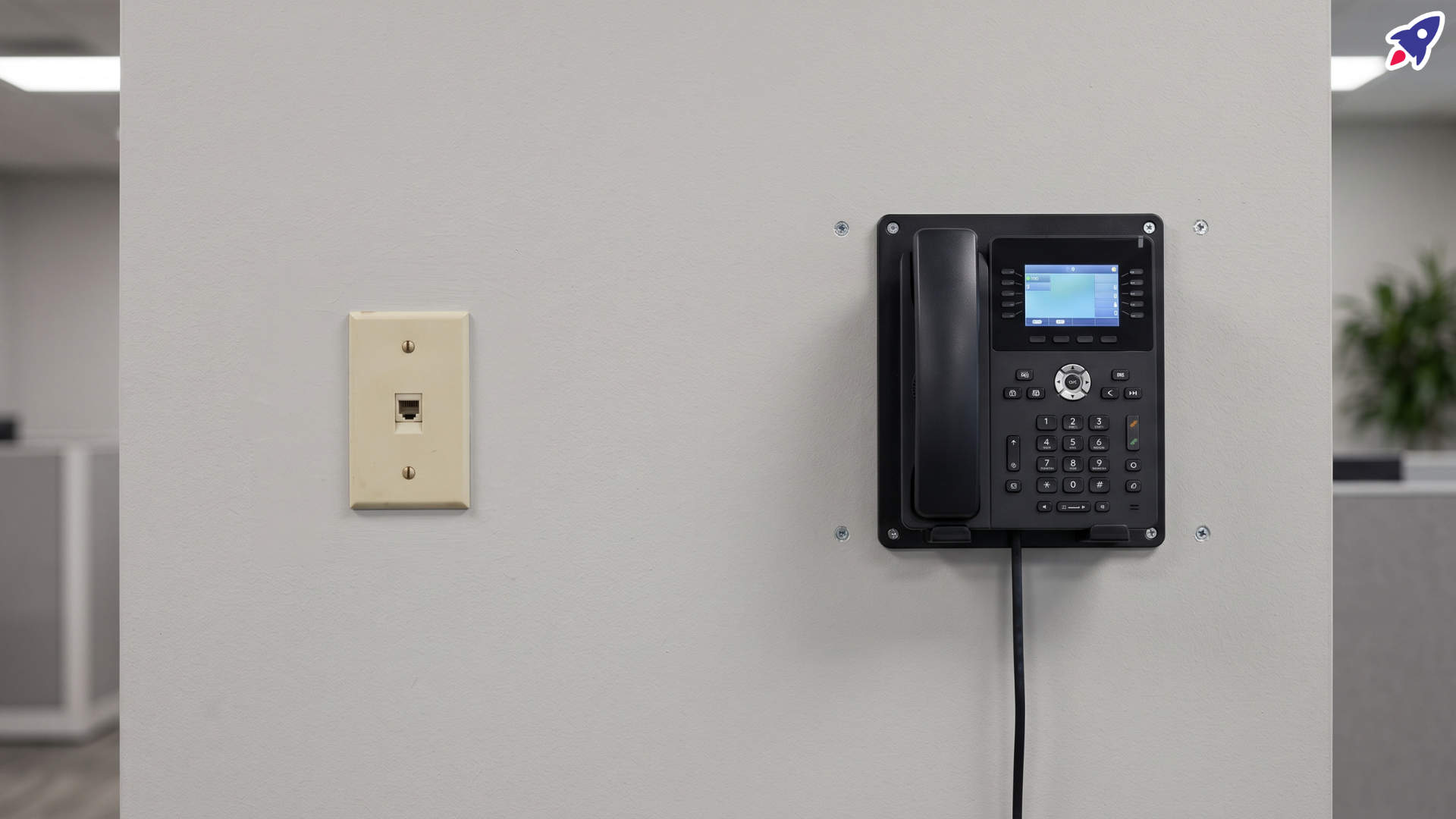
If you've ever bought a "wall-mount bracket" for an office phone, you've probably assumed the same thing most buyers do: that it hooks onto whatever wall hardware is already sitting there. Plenty of offices still have an old wall telephone jack near the break room or the front counter, complete with those little metal studs the old handset used to hang on. Swap the phone, reuse the plate, done.
With the Yealink WMB-T46, that assumption is worth pausing on.
There are two separate things in play here, and the names make them easy to confuse. One is an accessory that bolts to the back of your phone. The other is a fixture already screwed into your wall. They are not designed as a matched pair, and Yealink's own installation guide points buyers toward a different method entirely.
Here's what the bracket actually does, what a traditional wall-phone jack actually is, and what you should check before you order.
What is the Yealink WMB-T46?
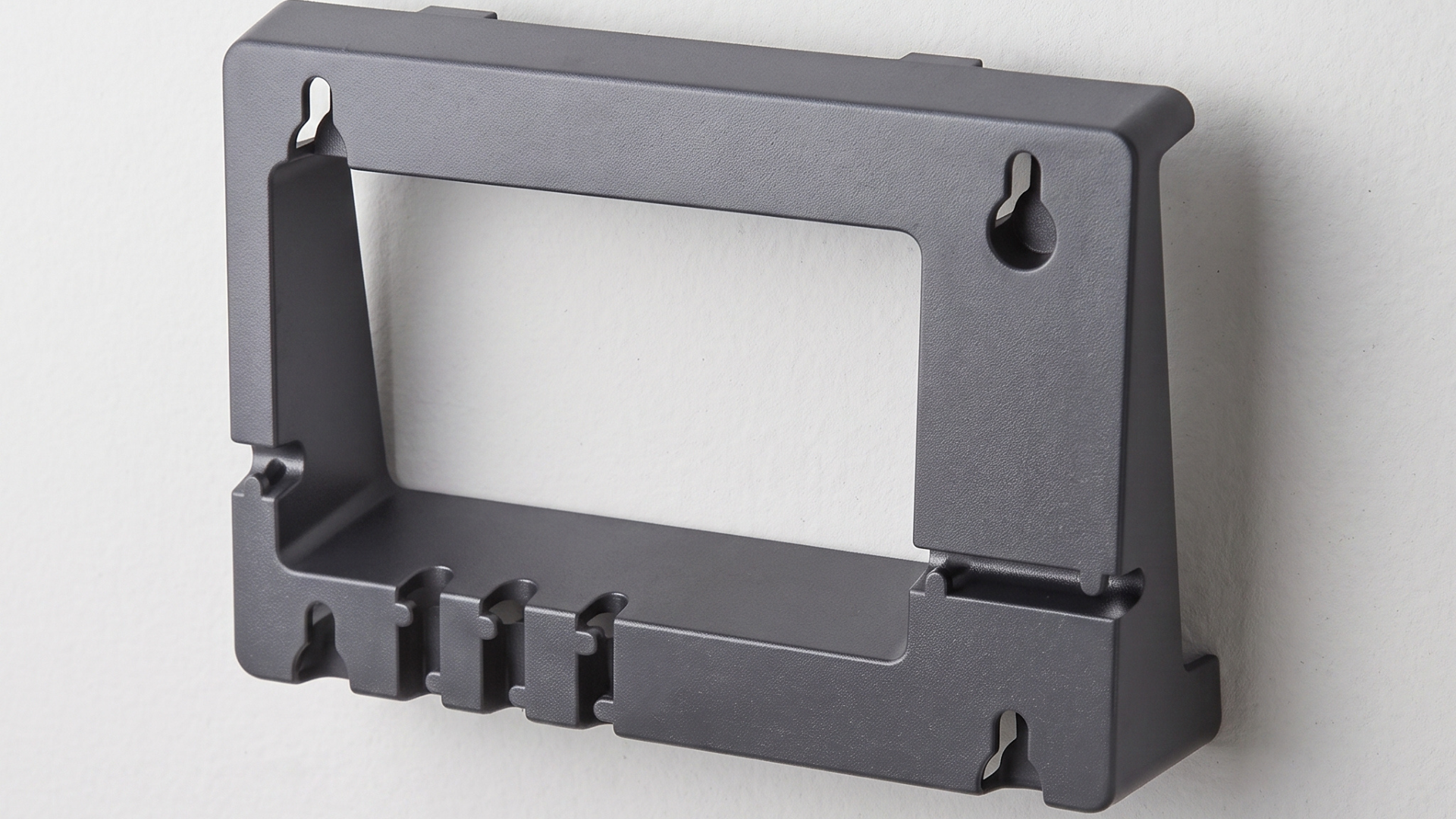
The WMB-T46 is Yealink's official wall-mount bracket for the T46 series. Retailer listings describe it as compatible with the SIP-T46G, SIP-T46S, and SIP-T46U.
Its job is simple: it turns a desk phone into a wall phone. Yealink's Wall Mount Quick Installation Guide shows the bracket inserting into slots on the rear of the compatible phone. Once it's attached, the phone can be secured vertically against a wall instead of sitting on a desk stand.
That's the whole scope of the accessory. It isn't a jack, it isn't a network connection, and it doesn't carry any signal. It's a mechanical part that gives the phone something to hang from.
Worth noting: one retailer listing for the WMB-T46 shows the package contents as the wall-mount bracket. Just the bracket.
What is a wall-mount phone jack?
This is the older fixture, and it's the piece most people are picturing when they hear "wall mount."
A traditional wall-mount telephone jack is a plate installed on the wall that does two jobs at once. It provides the telephone line connection, and it includes mounting hardware, usually a pair of raised studs or posts, that a compatible wall telephone hangs on. You line up the keyhole slots on the back of the phone, drop it down, and the phone is both connected and supported by the same fixture.
That's a genuinely convenient design, which is exactly why the expectation carries over. But the arrangement is different from what Yealink documents.
Think of it as two different chains:
- Traditional wall phone: Wall → telephone wall plate/jack with mounting hardware → compatible phone
- Yealink's documented method: Wall → mounting screws and anchors → bracket-equipped T46 phone
In the first, the wall fixture holds the phone up. In the second, screws you put in the wall hold the phone up, and the wall fixture (if there even is one) isn't part of the equation.
It's also worth saying plainly: traditional wall plates aren't standardized into a single universal pattern. Stud spacing, plate size, and hardware vary. So "my old plate had studs" doesn't tell you much about whether a given phone will fit it.
Why the confusion happens
A reviewer on Amazon ran into this directly. In their words:
"First off the bracket works with the phone but as is say that it will attach to a wall mount phone jack it doesn't. The Picture shows the middle notch for the pin on the wall jack but it doesn't come with it. I had to add more screws to my wall to attach it."
Read that carefully, because it's more useful than it first looks. The reviewer says the bracket worked fine with the phone. What didn't happen was the part they expected: attaching to the existing wall-mount phone jack. Their solution was to add screws to the wall.
That's one person's installation, and it isn't proof of a defect or a manufacturing problem. What it is, is a clean example of a buyer-expectation gap. They expected the wall-mount arrangement they already had to carry the new phone. Yealink's documentation describes a different installation.
If you're shopping for this bracket with an old wall plate already in place, that gap is the thing to plan around.
How Yealink actually documents T46 wall installation
This is the part that settles the question, so it's worth going through in detail.
Yealink's Wall Mount Quick Installation Guide sets out what's needed for wall installation:
- A wall-mount bracket is required. The phone can't be wall-installed without it.
- Wall anchors and appropriate tools are also required, and they are not included.
- Yealink provides a drilling template that marks where the screws go.
- For the SIP-T46S and SIP-T46G, the diagram shows four screw positions.
- The screw-position dimensions are approximately 126.6 mm by 86.9 mm.
- The mounting screws are stated as not provided.
- The bracket attaches to slots on the rear of the phone before the phone goes on the wall.
A drilling template with four marked positions is a strong signal about intent. Yealink's instructions show a dedicated screw pattern that you create in the wall. The guide does not instruct users to hang the phone on the mounting studs of a conventional telephone wall plate.
What that means for you as a buyer: expect to fasten this phone to the wall yourself, with your own screws and anchors, in a pattern Yealink specifies. Don't plan the install around reusing existing wall-plate studs.
To be careful about it, an absence of instructions isn't the same as a statement of impossibility. Yealink not documenting a stud-mount method doesn't prove no wall plate anywhere could ever line up. It does mean nothing in the manufacturer's documentation supports planning on it.
So, does the WMB-T46 fit a standard wall phone jack?
Don't assume that it does.
The WMB-T46 makes compatible T46-series phones wall-mountable. That's real and it works. But "wall-mountable" in Yealink's documentation means a dedicated screw pattern in your wall, not a hand-off to hardware that's already there. If you have an existing traditional wall-phone plate, inspect its mounting arrangement before assuming the bracket will attach directly to it.
One more distinction that trips people up: physical mounting and network connectivity are two separate problems. A T46 is a VoIP phone. It needs Ethernet, not an analog telephone line. So even in the best case where an old wall plate somehow lined up mechanically, the plate's telephone connection wouldn't be what's powering or connecting the phone. You still need Ethernet at that location. Solving the mounting question doesn't solve the cabling question, and vice versa.
What to check before you buy
A short pre-purchase pass will save you a trip to the hardware store, or a return.
- Your exact Yealink phone model. T46G, T46S, and T46U are not interchangeable with every accessory.
- That the WMB-T46 covers that model. Confirm it on the listing you're buying from.
- What's actually on the wall right now. Look at it. Photograph it. Measure the stud spacing if there is any.
- Whether you were counting on reusing that existing plate. If yes, this is the assumption to test before ordering.
- Whether drilling and new anchors are acceptable at that location. Rented space, historic buildings, and glass or tile walls all complicate this.
- Mounting hardware suited to your wall material. Drywall, concrete, plaster, and stud framing all want different anchors. Screws aren't in the box.
- Cable routing and Ethernet access at the spot you're mounting. Where does the cable come from, and where does it go once the phone is flush against the wall?
Frequently asked questions
Does the WMB-T46 come with mounting screws?
No. Yealink's installation documentation states that the mounting screws are not provided, and a current retailer listing describes mounting screws as sold separately, advising buyers to choose hardware appropriate for their wall type. Budget for anchors and screws as a separate purchase.
Does the bracket attach to the phone?
Yes. Yealink's guide shows the wall-mount bracket inserting into slots on the back of the compatible phone. That step happens before the phone goes on the wall.
Can I use my existing wall telephone jack?
Split this into two questions. For connectivity: a T46 is a VoIP phone and needs an Ethernet connection, so an analog telephone jack isn't what's connecting it. For physical mounting: don't assume an existing wall fixture provides the correct mounting points for this bracket. Yealink's documented method uses its own screw positions. Check the fixture before you plan around it.
Will I need to drill new holes?
Possibly. Yealink's documented procedure uses a drilling template with specified screw positions, so the install is built around fasteners you place. Whether you need new holes depends on what's already in your wall and whether any of it happens to match the required arrangement. In many offices, new holes are the realistic expectation. It isn't guaranteed either way.
Is this a design flaw?
The available evidence doesn't establish a defect. The reviewer's experience is better described as a mismatch between what a buyer expected from the phrase "wall mount" and the mounting method the manufacturer actually documents. The bracket did what it's designed to do. It just didn't do the thing the reviewer was hoping for.
The takeaway
"Wall-mount compatible" and "compatible with the mounting studs on my existing wall telephone jack" are not the same claim.
The WMB-T46 does what it says: it makes a T46-series phone wall-mountable. But Yealink's documented path to that result runs through a drilling template, four screw positions, and hardware you supply yourself. If your plan depends on inheriting an old wall plate's mounting arrangement, verify that before you order the bracket, not after you've got a phone in one hand and a screwdriver in the other.
Five minutes with a tape measure and Yealink's installation guide will tell you exactly what your install needs.
Video Overview
Need help picking the right desk phone or wall-mount setup?
Contact Global Teck Worldwide