
Headsets That Won’t Wreck Your Hair: A Survival Guide
Posted by Quentin Vernon on 14th Oct 2024
Headsets That Won't Wreck Your Hair: A Practical Guide
Can you wear a headset without ruining your hair?
Yes. You can wear a headset without ruining your hair if you choose the right wearing style, reduce pressure on the crown, adjust the fit, and take short breaks during long call blocks. The most hair-friendly options are in-ear headsets, over-ear Bluetooth headsets with no top headband, and lightweight office headsets with soft ear cushions and low clamping force.
Headset hair usually happens because a headband presses the same section of hair for hours. That pressure can flatten volume, create dents, or disturb styled hair. The fix is not always to avoid headsets completely; it is to match the headset design to how you work, where you take calls, and how much pressure your hairstyle can handle.
Key takeaways
- For the lowest hair impact, choose in-ear or over-ear Bluetooth headsets that do not use a top headband.
- For office calling, choose a lightweight mono headset with soft cushions, adjustable fit, and enough battery life for your workday.
- For noisy spaces, microphone performance matters as much as wearing style. Look for AI noise reduction, acoustic shielding, wind reduction, or multiple noise-canceling microphones.
- The Poly Voyager Legend 50 is a strong hair-friendly Bluetooth option because it sits over and behind the ear instead of across the crown.
- The Yealink WH62 Mono is better for desk-based office users who want DECT range, a charging base, PC and IP phone connectivity, and one-ear awareness.
What headset styles are best for avoiding headset hair?
The best headset styles for avoiding headset hair are designs that avoid heavy pressure across the top of the head. In-ear monitors, earbud-style Bluetooth headsets, over-ear mono Bluetooth headsets, and lightweight on-ear office headsets usually create fewer dents than full-size over-the-head headphones.
- In-ear monitors and earbuds: These avoid the hair completely because they sit inside the ear canal. They are best for users who want music, quick calls, and maximum hairstyle protection.
- Over-ear Bluetooth headsets: These hook around one ear and keep the crown free. They are useful for mobile professionals, drivers, field teams, and anyone who takes calls away from a desk.
- Lightweight mono office headsets: These still use a headband, but a single-ear design and lighter frame reduce pressure compared with larger stereo models.
- Low-clamp headphones: These can work for longer listening sessions when you need richer audio, but they are usually less hair-safe than in-ear or over-ear mono designs.
How do you choose a headset that will not flatten your hair?
Choose a headset that matches your call environment first, then filter by wearing style. If you work in noisy locations, prioritize microphone noise control. If you work mostly at a desk, prioritize comfort, wireless range, battery life, and PC or phone compatibility. If hairstyle protection is the top priority, avoid heavy headbands and choose an in-ear or over-ear model.
- Check the wearing style. Over-ear and in-ear designs protect hair best because they do not press down across the crown.
- Look at headset weight. Lighter models usually create less pressure and feel better during long call blocks.
- Check microphone technology. AI noise reduction, acoustic shielding, and multiple mics help callers hear your voice instead of background noise.
- Match the connection type. Bluetooth is better for mobile use; DECT is often better for desk workers who need longer range in an office.
- Plan around battery life. A headset that dies mid-day creates more friction than a slightly larger headset with all-day power.
Is the Poly Voyager Legend 50 good for avoiding headset hair?
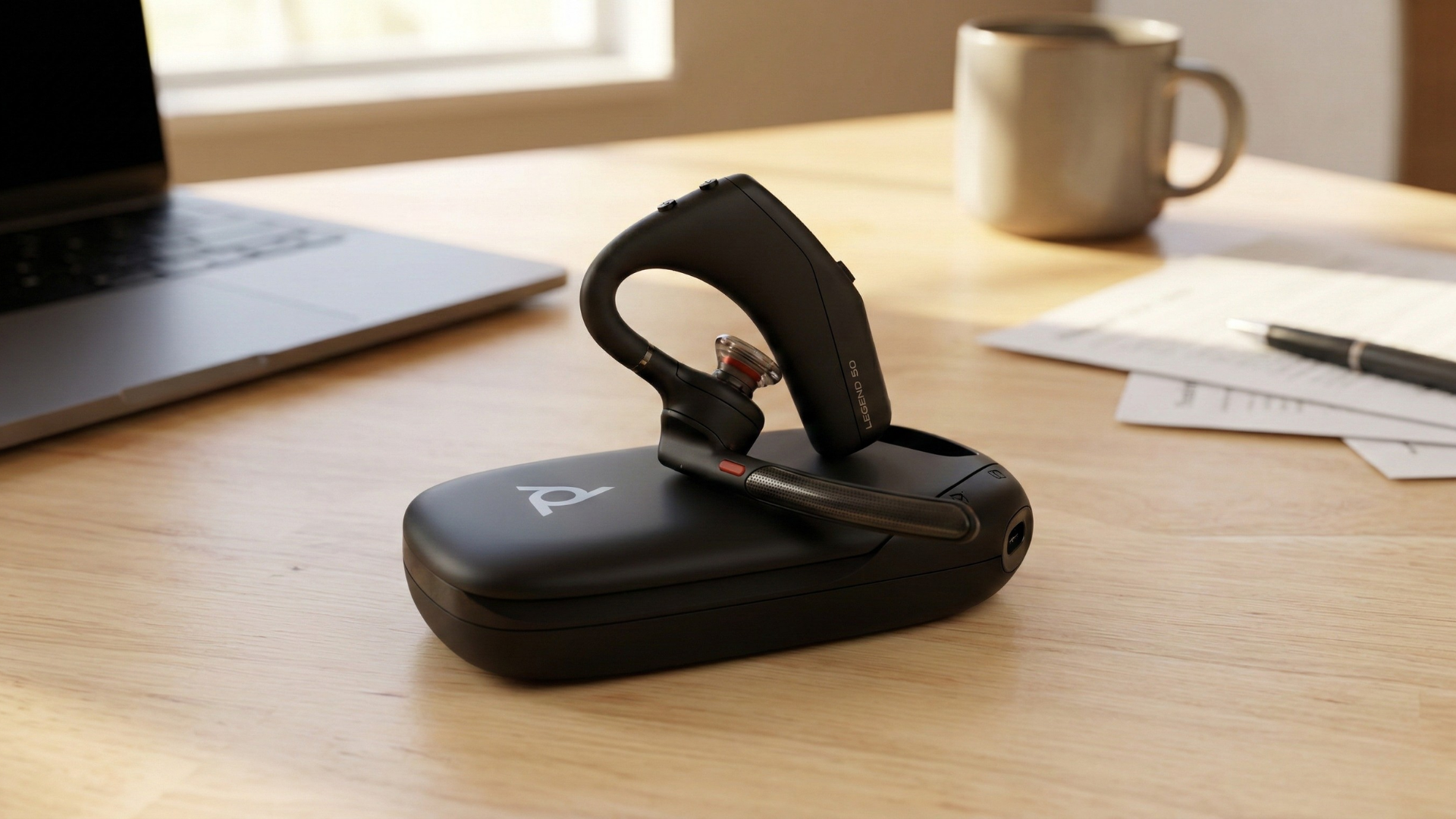
Yes. The Poly Voyager Legend 50 is a good choice for avoiding headset hair because it uses a mono over-ear design instead of a traditional top headband. It is built for professional calls, mobile work, and hybrid schedules where you need voice clarity without pressing a band across your hairstyle.
HP describes the Poly Voyager Legend 50 Series as a Bluetooth monaural headset designed for a premium call experience, all-day comfort, and leading collaboration platforms. The official Poly page lists Poly NoiseBlockAI, WindSmart technology, an aerodynamic boom, and four noise-canceling microphones for keeping the user's voice clear in everyday noise. HP also notes compatibility and certifications for Microsoft Teams, Zoom, Google Meet, and Chromebook.
For hair-conscious buyers, the biggest advantage is the wearing style: the headset sits over and behind the ear. The Poly user guide recommends sliding the headset over and behind the ear, pointing the boom toward the mouth, and changing ear tip size for a better fit. That fit guidance matters because a secure ear fit reduces the need to overtighten or constantly reposition the headset.
- Best for: Mobile professionals, hybrid workers, sales teams, drivers, field staff, and anyone who wants a hair-friendly Bluetooth calling headset.
- Hair advantage: No top headband, so there is less risk of a visible crown dent.
- Call advantage: NoiseBlockAI, WindSmart technology, and four noise-canceling microphones help keep speech clear in office, outdoor, and travel environments.
- Battery note: HP lists up to 10 hours of talk time, with extended talk time available through the portable Qi wireless charge case on UC models.
What can you do during the day to prevent headset dents?
You can prevent headset dents by reducing pressure, changing contact points, and giving your hair time to recover between calls. Small habits matter more when you wear a headset for several hours a day.
- Loosen the fit slightly. A headset should feel stable, not like it is clamping your head.
- Move the band position. If you use a headband headset, shift it a little between call blocks so pressure is not always on the same hair line.
- Use a light barrier. A thin scarf, bandana, or soft cap can spread pressure when hairstyle protection is more important than a bare-head look.
- Take headset breaks. Remove the headset between meetings when possible so flattened hair can lift back up.
- Keep a quick reset nearby. A small brush, water mist, dry shampoo, or texture spray can revive volume after long calls.
When is a mono office headset better than a Bluetooth earpiece?
A mono office headset is better than a Bluetooth earpiece when you spend most of the day at a desk, use a computer and desk phone, need stable range around the office, or want a charging base that keeps the headset ready. A Bluetooth earpiece is usually better for mobile calls, but a DECT office headset can be more dependable for desk-based calling.
The tradeoff is hair impact. A mono office headset may still use a headband, but it is often lighter and less bulky than a full stereo headset. If you need desk phone support and long wireless range, the comfort and reliability benefits can outweigh the slight increase in hair pressure.
Is the Yealink WH62 Mono a good work headset?
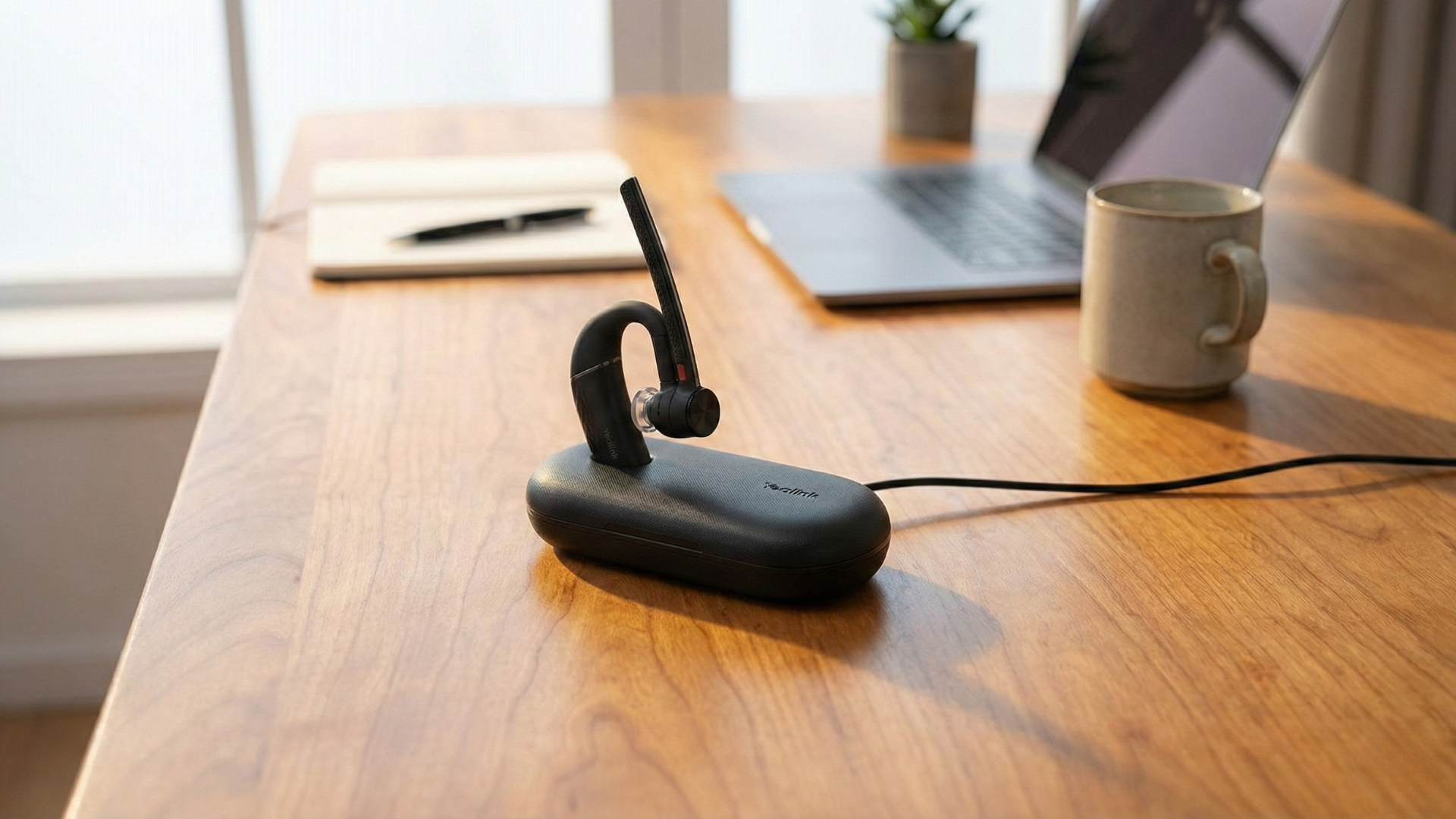
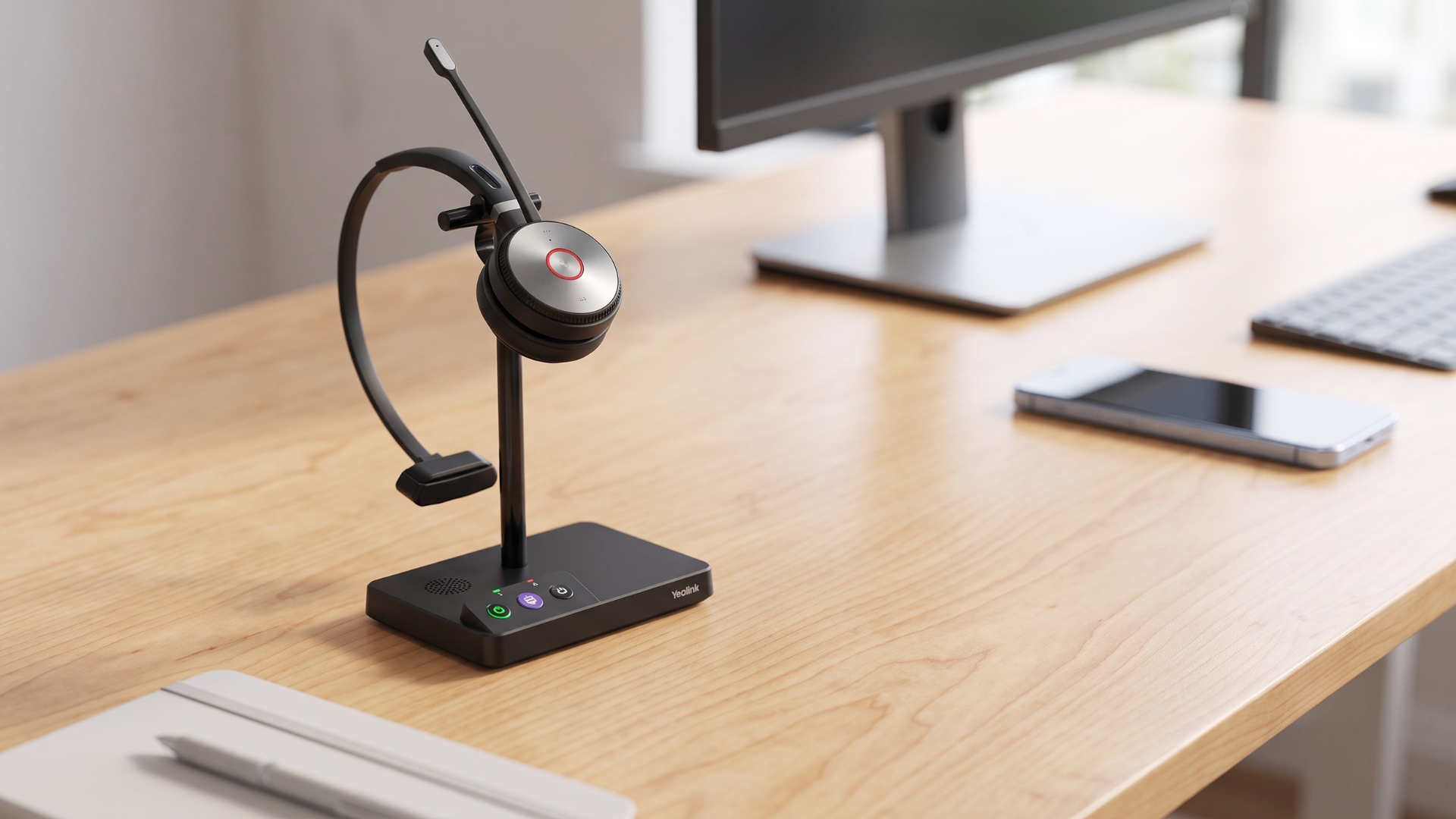
Yes. The Yealink WH62 Mono is a strong work headset for office and hybrid users who need a single-ear DECT headset with PC and IP phone connectivity, long wireless range, and a base station. It is not as hair-friendly as an over-ear Bluetooth earpiece, but it is a practical choice when desk calling reliability matters more than having no headband at all.
Yealink positions the WH62 as a DECT wireless headset for phone and UC communication. Its official product materials list two Micro-USB ports, USB connectivity to a PC and IP phone, a charging stand, an integrated busylight LED indicator, and a 320-degree adjustable boom arm. The WH62 Mono is also listed with up to 13 hours of talk time, 90 hours of standby time, 2.5-hour charging, and wireless range up to 160 meters or 525 feet. Yealink's WH62 specification sheet also notes dual microphones and Acoustic Shield Technology for automatically blocking background noise while keeping the participant's voice clear.
For hair-sensitive users, the WH62 Mono is best when you need a desk headset but want to avoid the bulk of a larger stereo headset. The single-ear design keeps one ear open, reduces total headset weight, and gives you a lighter contact profile than many full-size headsets.
- Best for: Reception, support, sales, operations, and office workers who move between a desk phone and computer softphone.
- Hair advantage: A lightweight mono design creates less bulk than a dual-ear headset, though it still uses a headband.
- Call advantage: Acoustic Shield Technology, dual microphones, and an adjustable boom help improve speech clarity.
- Desk advantage: DECT range up to 525 feet, a charging stand, integrated busylight, and PC plus IP phone connectivity make it practical for office workflows.
Which is better for hair: Poly Voyager Legend 50 or Yealink WH62 Mono?
The Poly Voyager Legend 50 is better for avoiding headset hair because it does not use a top headband. The Yealink WH62 Mono is better for desk-based office users who need DECT range, base-station charging, and PC plus IP phone connectivity.
- Choose Poly Voyager Legend 50 if hairstyle protection, mobility, Bluetooth calling, and no-headband comfort are the top priorities.
- Choose Yealink WH62 Mono if your work depends on a computer, desk phone, long office range, and a headset base that keeps the device charged.
- Choose in-ear earbuds if your only goal is avoiding hair disruption and you do not need enterprise call controls or desk phone integration.
Headset buying checklist for hair-conscious professionals
- Does the headset avoid a top headband, or at least use a lightweight headband?
- Will the microphone handle your real calling environment: office chatter, traffic, wind, or home noise?
- Does the headset connect to the devices you actually use: mobile phone, laptop, desk phone, Teams, Zoom, or Google Meet?
- Is the battery life long enough for your workday?
- Can you adjust the fit without creating pressure points?
- Does the headset support one-ear awareness if you need to hear coworkers or your surroundings?
- Is there a charging case or desk base that makes daily use easier?
FAQ: headsets that will not wreck your hair
What type of headset causes the least headset hair?
In-ear and over-ear Bluetooth headsets cause the least headset hair because they do not place a band across the top of your head. Earbuds are the most hair-safe, while over-ear mono Bluetooth headsets offer a better balance of call quality and hairstyle protection.
Do mono headsets help prevent hair dents?
Mono headsets can help reduce hair dents compared with larger stereo headsets because they are usually lighter and place less material on the head. However, mono headsets with a headband can still flatten hair if worn tightly for several hours.
Is a DECT headset better than Bluetooth for office work?
A DECT headset is often better for office work when you need longer wireless range, desk phone integration, and a reliable base station. Bluetooth is usually better for mobile calls and casual movement between devices.
How do I fix headset hair quickly?
To fix headset hair quickly, lift the flattened section with your fingers or a brush, mist lightly with water, add dry shampoo or texture spray if needed, and let the hair reset for a few minutes before your next meeting.
Bottom line: protect your hair without giving up call quality
You do not have to choose between clear calls and decent hair. If your top priority is avoiding headset dents, start with no-headband designs like in-ear earbuds or the Poly Voyager Legend 50. If your workday is built around desk calls, a lightweight mono office headset like the Yealink WH62 Mono gives you stronger office range and device connectivity with less bulk than a full stereo headset.
Global Teck Worldwide helps teams choose practical audio gear for remote, hybrid, mobile, and office work. The right headset should fit your workflow, your calling environment, and yes, your hair.
Need help choosing a headset that fits your workday?
Contact Global Teck Worldwide