

Managing the "Mute" Culture: The Ergonomics of Flip-to-Mute and Retractable Mics
Posted by Global Teck Worldwide Staff on 13th Mar 2026
Managing the "Mute" Culture: The Ergonomics of Flip-to-Mute and Retractable Mics

Alright, let’s talk about "the moment." You know the one. You’re deep into a virtual meeting, maybe sharing some brilliant insights, maybe just trying to subtly sip your coffee. Then, disaster strikes. You hear it: “Sorry, you’re on mute!”
Your heart sinks. You fumble. Is it the Teams button? The Zoom icon? The tiny software control buried three clicks deep? In that split second, your focus evaporates, your professionalism takes a hit, and that crucial point you were making? Well, it just became background noise to your flustered clicks.
Annoying, right? It’s not just a minor hiccup; it’s a productivity killer and an embarrassment generator. In our always-on, remote-first world, fumbling with software mute buttons is a major headache, and frankly, it's unnecessary.
But what if you could banish "the moment" forever? What if muting and unmuting were as natural as breathing? Good news: You can. The secret lies in professional headsets designed with intuitive, physical controls – think flip-to-mute boom arms and clear, visible indicators. Devices like the Yealink WH64 Wireless Headset aren't just gadgets; they're your personal armor against the chaos of modern communication, putting you back in charge of your audio.
Who This Headset Advantage Is For
If you find yourself nodding along to the "you're on mute" horror story, this is for you. Specifically, you'll get the most out of these game-changing features if you're:
- The Remote Work Veteran: Who needs seamless communication without tech glitches from your home office.
- The Hybrid Hustler: Constantly moving between office and home, needing gear that just works everywhere.
- The Call Center Dynamo: Where every second counts, and clear communication is your bread and butter.
- The Small Business Leader: Juggling client calls, team meetings, and the occasional barking dog (don't worry, we've all been there).
- Anyone Who Values Professionalism: And wants to sound as sharp as their ideas, without the added stress of managing their microphone.
Reclaim Control: The Magic of Physical Mute Buttons
Let's be honest, hunting for an on-screen mute icon is a relic of a bygone era. Your focus should be on the conversation, not on your cursor. That's where physical controls step in to save the day, and your dignity.
- Dedicated Mute Button: What a concept, right? A button, on the headset itself, clearly labeled. One satisfying click, and you're muted. Another click, and you're back in the conversation. No more guessing if the software registered your intention.
- Flip-to-Mute Boom Arm: This is pure genius. Simply raise your microphone boom, and you’re instantly muted. Drop it back down, and you’re live. It’s intuitive, tactile, and provides immediate physical feedback. Many professional headsets, especially those certified for platforms like Microsoft Teams, integrate this feature flawlessly, so your headset's physical mute status perfectly syncs with your meeting software. No need to wonder if it "works with Teams"; if it's certified, it works.
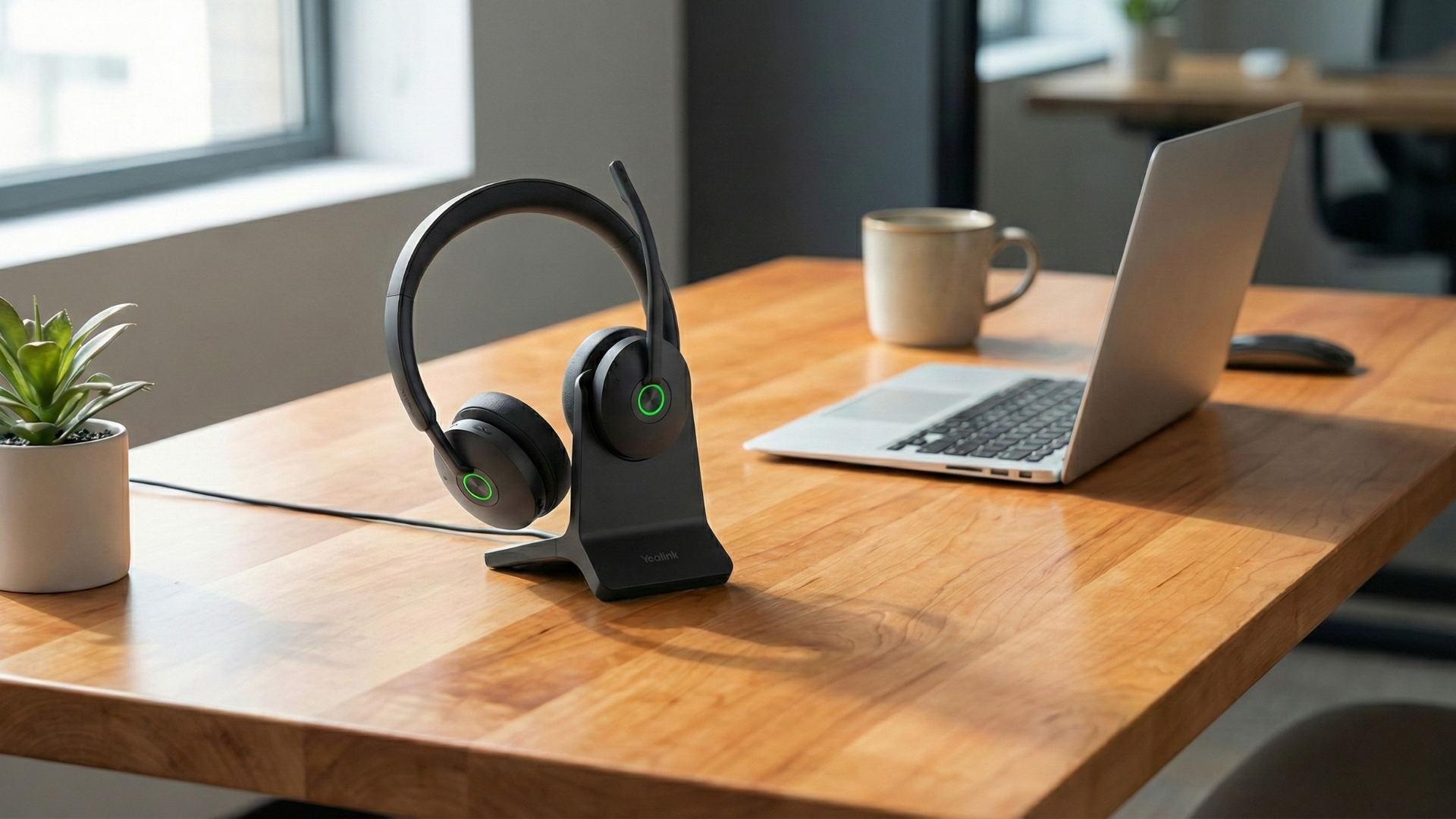
- Visual Mute Indicators: The cherry on top! Imagine a small, glowing light right on your headset (like on the Yealink WH64). Red means mute, green means live. It’s a quick glance that tells you everything you need to know, without ever needing to minimize your presentation or alt-tab away from your critical notes.
Hear & Be Heard: Why a Boom Mic Still Reigns Supreme
There's a reason why broadcast journalists and professional podcasters still use microphones on an arm. While those sleek, "hidden" internal mics look cool, they often sacrifice crucial audio quality. When it comes to making your voice heard clearly, especially in less-than-perfect environments, the physical boom mic is your champion.
- Optimal Mic Positioning: A boom arm places the microphone exactly where it belongs – close to your mouth. This isn't just about volume; it's about capturing the richness and clarity of your voice, minimizing ambient room noise, and making you sound professional.
- Acoustic Shield Technology (Yealink WH64): This isn't just a fancy name; it’s your personal sound engineer. Integrated into boom mics like on the Yealink WH64, this technology intelligently filters out distractions. Your client won't hear your furious keyboard typing, the coffee machine whirring, or your dog's sudden existential crisis two rooms away. They'll just hear you.
- Adaptive Noise Cancellation: Beyond just filtering, premium boom mics actively work to reduce background noise from *your* end of the call. This means fewer "can you repeat that?" moments and more productive conversations, no matter where you're working from.
Designed for Your Day: Comfort, Connectivity, and Longevity
A great headset doesn't just sound good; it integrates seamlessly into your entire workday. It’s about more than just calls; it’s about making your whole day smoother, from the first "good morning" to the final "talk tomorrow."
- Wireless Freedom (DECT & Bluetooth): Who wants to be tethered to their desk? With wireless headsets like the Yealink WH64 (which uses secure DECT technology for impressive range), you can grab a coffee, stretch your legs, or pace during a tough negotiation, all without fear of dropping your call. For mobile devices, Bluetooth connectivity keeps you flexible.
- Multi-Device Connectivity: Your workday rarely sticks to just one device. Many professional headsets connect to multiple sources – your PC, desk phone, and even your mobile via a Bluetooth-enabled base. This means seamless switching and no fumbling with different headsets for different devices.
- All-Day Battery Life: Ever had your headset die mid-sentence? It’s the worst. Look for headsets with serious stamina. The Yealink WH64, for example, boasts up to 14 hours of talk time, so your headset works as long as you do – and then some.
Proof in the Performance: What These Features Actually Mean for You
So, we've talked features, but what does all that technical goodness boil down to in your daily grind? Let's get specific.
- Yealink WH64 Wireless Headset: This powerhouse is a prime example of everything we’ve discussed. Its DECT wireless technology offers a secure, expansive range that lets you roam freely without losing connection quality. It’s certified for both Microsoft Teams and Zoom, meaning it plays nice with your favorite platforms, guaranteeing smooth integration and optimal audio performance.
- Acoustic Shield Technology: Remember that barking dog? The WH64’s mic literally creates a sound barrier around your voice. Translation: Your clients only hear your brilliant ideas, not Fido’s latest tantrum.
- Visual Mute Indicator: That little light isn't just for show. It means you instantly know if you're live or muted, saving you from those embarrassing "you're on mute!" moments and letting you focus on the conversation, not the tech.
- Busylight (Optional): Some models even feature a "Busylight" that automatically illuminates when you're on a call, silently telling your colleagues, "Hey, I'm busy conquering the world here, back in a bit!"
These aren't just specs; they're peace of mind. They translate into smoother calls, fewer interruptions, and a much more professional you.
Why It Matters Now (More Than Ever)
In today's remote and hybrid work landscape, reliable communication isn't a luxury; it's a necessity. You need gear that just works, all the time, without adding to your stress. Investing in a headset with smart, physical mute controls and a quality boom mic means you'll sound sharper, feel more in control, and maintain that professional edge that keeps clients happy and colleagues impressed. No more fumbling, no more guessing, just clear, confident communication.
Shop the Gear: What to Do Next
Ready to upgrade your call experience and banish "the moment" for good? Take control with a headset designed for clarity and intuitive use. We highly recommend exploring the Yealink WH64 Wireless Headset, packed with all the features we just chatted about.
- Yealink WH64 Wireless Headset: Experience superior call quality, instant mute control, multi-device connectivity, and all-day comfort. Available in both mono and dual-ear variants to suit your preference, the WH64 is your ticket to hassle-free, professional communication.
Click below to discover the Yealink WH64 and transform your workday from frustrating to fantastic.
Need a Helping Hand?
Choosing the perfect headset can feel like navigating a maze, we get it. With so many options and certifications, it's easy to feel overwhelmed. Don't sweat it! Our team of tech experts at Global Teck Worldwide is here to help. Reach out with your specific needs, and we’ll guide you to the ideal headset that just works for you.
Video Overview
If the embedded video doesn’t load, watch it here.
Need help picking the right headset or speakerphone?
Contact Global Teck Worldwide